




Repair
Repair Price: $ 1,140.00
Purchase
CSL Part Number: 85680
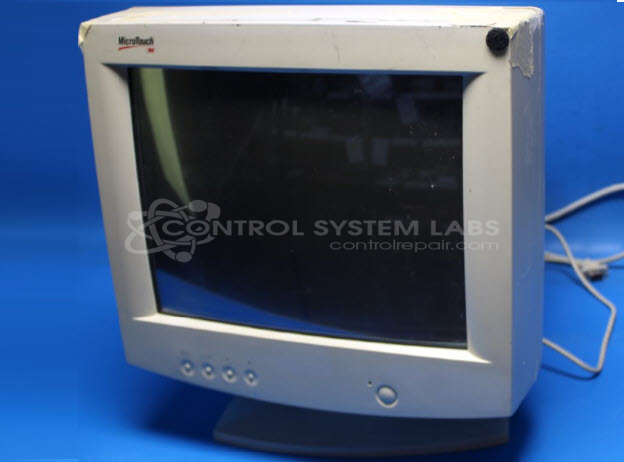
Product Overview: A 15-inch CRT monitor integrated with a capacitive touchscreen for operator input. It provides visual display and touch interface for industrial HMI terminals, factory automation workstations, and control panels. Supports multiple scan rates and serial-based touch communication for human-machine interaction in manufacturing environments.
Category: Touch Screen CRT Monitor
Manufacturer: 3M Touch Systems
Manufacturer Part Number: 11-9112-129
Also Known As(AKA): MicroTouch
```html
Common Failures
Customers have reported issues with no display or incorrect display on the unit. In some cases, the display takes a prolonged period to start, ranging from an hour to more than a day. During evaluation, faulty electrolytic components in the power supply are often identified.
Repair Approach
Repairs may involve replacing defective electrolytic components in the power supply. Additionally, structural adjustments, such as epoxying CRT and case mountings, may be performed as needed to support proper unit function.
Testing & Quality
Post-repair, units undergo testing, including operation at multiple scan rates, touch screen functionality checks, and extended run time to evaluate stability and reliability. These tests are intended to confirm the resolution of identified issues and establish consistent performance.
```Service and repair your broken 3M Touch Systems part
We can repair your 3M Touch Systems model 11-9112-129 in our facility. Let our skilled technicians get your 3M Touch Systems back in operation quickly.
Step 1 - Click the green 'Repair Now' button above to add the part and then complete the RMA.
Step 2 - The RMA form will be sent to you via email. Print the RMA form and put it in a box with the item(s) for repair.
Step 3 - Ship or mail the box to the address listed on the RMA.
Once the user has seen at least one product this snippet will be visible.