




Repair
Repair Price: $ 3,828.00
Purchase
CSL Part Number: 70885
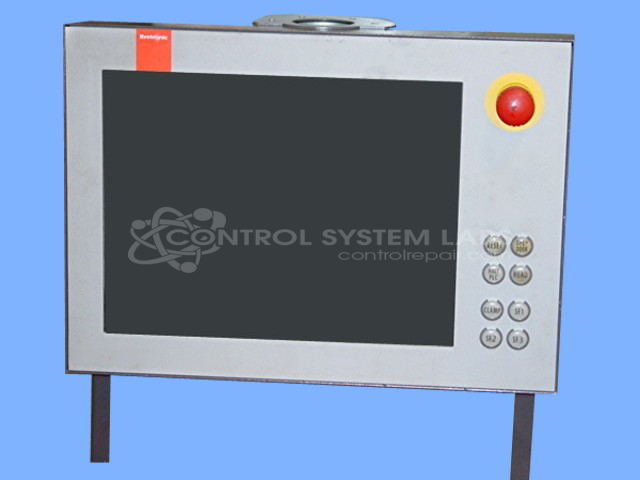
Product Overview: Touch screen TFT industrial monitor serving as an operator interface workstation for paper manufacturing and process control systems. It features a color TFT display, integrated touchscreen input, and an onboard keyboard for machine operation and monitoring on the factory floor.
Category: Operator / Monitor Workstation
Manufacturer: Aartec Ag
Manufacturer Part Number: S2203B
Include operating problem with the repair.
Common Failures
Customers have reported intermittent failure where the monitor turns off due to vibration but can be reactivated by pressing the power button twice. Another reported issue is the product blowing fuses when turned on; however, this could not be replicated during evaluation.
Repair Approach
The repair involved upgrading the CCFL backlight to an LED model to address the intermittent display failure. This upgrade is expected to improve reliability and reduce the likelihood of power failure due to vibration.
Testing & Quality
The unit underwent comprehensive testing after repairs, including overnight run testing and extensive checkouts of the touchscreen and keyboard functionality to verify that all repaired components were operational.
Limited Repair
The Aartec Ag part number is only available as a limited repair at our facility. Repairs to this item may be limited due to several reasons:
- Availability of parts
- Less than 100% test ability due to required support equipment
To have us attempt a repair on your Aartec Ag part follow these steps:
Step 1 -
Click the Repair Now button above to add the part and complete the RMA form.
Step 2 -
Print the RMA form that is sent to your email, and put it in the box with the parts for repair.
Step 3 -
Mail the box to the address on the RMA.
After we receive your item, we will perform an inspection and an authorization to repair will be sent for your approval. Work will begin after your authorization is received.
Once the user has seen at least one product this snippet will be visible.