




Repair
Call for price
Purchase
CSL Part Number: 114168
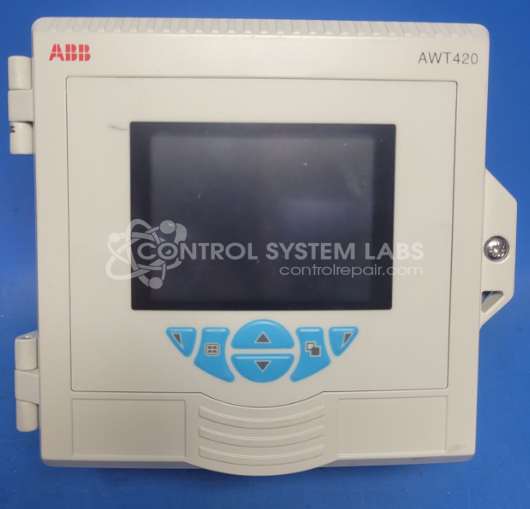
Product Overview: The ABB AWT420 is a 4-wire transmitter used for signal conversion and transmission in industrial process control and automation systems. It typically interfaces with sensors or field devices to provide conditioned output signals for monitoring and control applications. The unit features a modular design with screw terminal connections for line, neutral, and signal wiring. Common applications include manufacturing plants, chemical processing, and other environments requiring reliable signal transmission between field instruments and control systems.
Category: Transmitter
Manufacturer: ABB
Manufacturer Synonyms: ASEA BROWN BOVERI
Manufacturer Part Number: AWT420
Also Known As(AKA): 3KXA005037U0100
Advise if any of the 1-3 plug in modules will be included and which ones you are sending when completing the RMA.
Common Failures
We have observed issues with wire-to-board connections in the ABB AWT420 4-wire transmitter. Internal spring terminals for line and neutral may break off, leading to connectivity issues. A loose bezel has also been found within units, which could cause additional internal disruptions.
Repair Approach
Repairs for this product typically involve cleaning the affected area and installing a replacement screw terminal connector to restore proper connectivity and functionality to the unit.
Testing & Quality
After repairs are completed, each unit undergoes component-level testing to verify that relays and capacitors function correctly. Testing has shown that repair solutions adequately resolve the reported symptoms.
Service and repair your broken ABB part
We can repair your ABB model AWT420 in our facility. Let our skilled technicians get your ABB back in operation quickly.
Step 1 - Click the green 'Repair Now' button above to add the part and then complete the RMA.
Step 2 - The RMA form will be sent to you via email. Print the RMA form and put it in a box with the item(s) for repair.
Step 3 - Ship or mail the box to the address listed on the RMA.
Once the user has seen at least one product this snippet will be visible.