


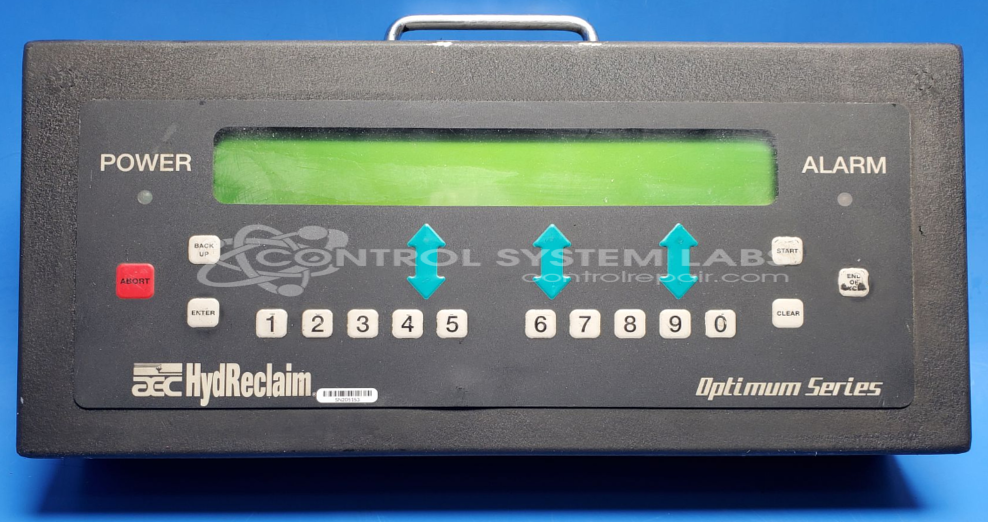
Aec Hydreclaim EWB0535 Remote Operator Panel
Repair
Repair Price: $ 620.00
Purchase
CSL Part Number: 88415
Product Overview: The Remote Operator Panel by AEC Hydreclaim (model EWB0535) is a control interface used with Hydreclaim 400-OA systems. It provides remote operation and monitoring capabilities for wastewater treatment and wash water recycling equipment. The unit features a sub-D connector for system integration and utilizes CMOS-based circuitry including voltage conversion components. This panel serves as the human-machine interface for controlling and adjusting Hydreclaim industrial washing and reclamation processes.
Category: Control Assembly
Manufacturer: Aec Hydreclaim
Manufacturer Part Number: EWB0535
Common Failures
Common issues observed with the Hydreclaim 400-OA Remote Control include disconnection of the internal sub d connector, reversed capacitors from previous repair attempts, and cosmetic wear on the outer casing.
Repair Approach
Repairs typically involve reconnecting the sub d connector, replacing incorrectly installed capacitors to ensure proper orientation, and performing cleaning of the unit's casing as needed. Component replacement, including capacitors and integrated circuits, may be conducted as part of the repair process.
Testing & Quality
Each repaired unit undergoes component-level testing to confirm repair work; however, without unit-specific test fixtures, testing is limited to fundamental procedures.
Service and repair your broken Aec Hydreclaim part
We can repair your Aec Hydreclaim model EWB0535 in our facility. Let our skilled technicians get your Aec Hydreclaim back in operation quickly.
Step 1 - Click the green 'Repair Now' button above to add the part and then complete the RMA.
Step 2 - The RMA form will be sent to you via email. Print the RMA form and put it in a box with the item(s) for repair.
Step 3 - Ship or mail the box to the address listed on the RMA.
Once the user has seen at least one product this snippet will be visible.