




Repair
Repair Price: $ 1,756.00
Purchase
CSL Part Number: 34300
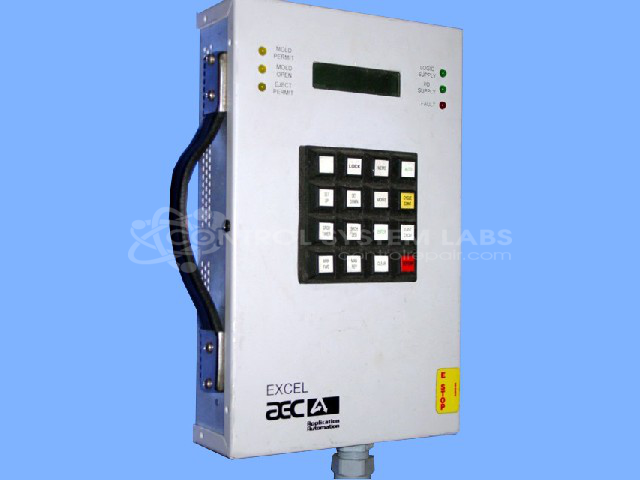
Product Overview: A handheld programming pendant for a sprue picker robot, used to configure and control motion sequences such as arm up, swing in, and swing out in injection molding operations. It provides manual and automatic modes with programmable step and time-interval settings, supporting 12-24 VDC inputs.
Category: Robotic
Manufacturer: AEC
Manufacturer Synonyms: Application Engineering Corporation
Manufacturer Part Number: XL-II-450
Series: XL-II Sprue Picker
Control System Labs can repair and test this Pendant.
Common Failures
This product has experienced several common failures, including non-operational inputs and outputs, as well as error lights indicating malfunction. Specific reports mention inoperative functions such as "arm up" and "swing in" not working in both manual and auto modes. Another frequent issue is the loss of program memory.
Repair Approach
Repairs typically involve the replacement of critical components. In particular, non-working inputs and outputs are addressed by replacing associated transistors and resistors. Memory issues, often indicated by an error light, have been resolved by replacing the NVRAM and associated capacitors for the power-on reset circuit. These repairs restore proper operation and program memory retention.
Testing & Quality
After repairs, the units are tested for a duration of 24 hours to verify all functions are working properly. This testing approach helps to confirm that the product operates correctly under normal conditions. Customers are also advised to re-enter their program variables after memory replacements.
Service and repair your broken AEC part
We can repair your AEC model XL-II-450 in our facility. Let our skilled technicians get your AEC back in operation quickly.
Step 1 - Click the green 'Repair Now' button above to add the part and then complete the RMA.
Step 2 - The RMA form will be sent to you via email. Print the RMA form and put it in a box with the item(s) for repair.
Step 3 - Ship or mail the box to the address listed on the RMA.
Once the user has seen at least one product this snippet will be visible.