




Repair
Repair Price: $ 1,672.00
Purchase
CSL Part Number: 33691
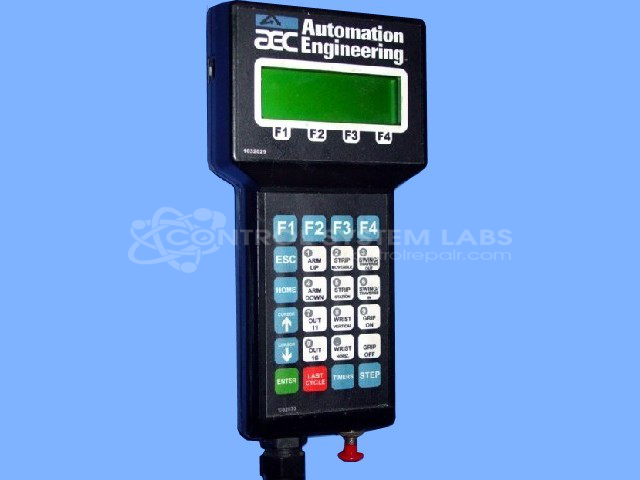
Product Overview: Handheld teach pendant for controlling a sprue picker robot used in plastic injection molding to remove sprues and parts from molds. Features an LCD display, keypad, emergency stop switch, and battery-backed program memory. Password-protected programming manages ejector permissions, I/O, and cycle timing.
Category: Robotic
Manufacturer: AEC
Manufacturer Synonyms: Application Engineering Corporation
Manufacturer Part Number: XL-III-750
Series: XL-III Series
Also Known As(AKA): 1032026 P/N
Control System Labs can repair and test this Pendant.
Common Failures
Customer reports have included random interruptions, garbled or distorted displays, stuck outputs, loss of program memory, and various control errors. Intermittent problems such as alarms and cycle interruptions have also been noted, with some issues related to connectors or aging hardware components like batteries and capacitors.
Repair Approach
Repairs have involved resolving display issues by removing shorts, resoldering connections, and replacing components such as flex cables and emergency stop switches. Batteries and battery holders have been replaced and secured to address loss of program memory. Programs have been reloaded and parameters reset to align with customer applications. Additionally, connector inspections and board repairs have been performed to address water damage and restore proper function.
Testing & Quality Control
Comprehensive testing has been conducted, including burn-in tests ranging from 1 to 48 hours to evaluate reliability. Programs have been reloaded during testing to verify functionality. Hardware components such as inputs, outputs, and keypads have undergone thorough verification to confirm they met operational specifications.
Service and repair your broken AEC part
We can repair your AEC model XL-III-750 in our facility. Let our skilled technicians get your AEC back in operation quickly.
Step 1 - Click the green 'Repair Now' button above to add the part and then complete the RMA.
Step 2 - The RMA form will be sent to you via email. Print the RMA form and put it in a box with the item(s) for repair.
Step 3 - Ship or mail the box to the address listed on the RMA.
Once the user has seen at least one product this snippet will be visible.