


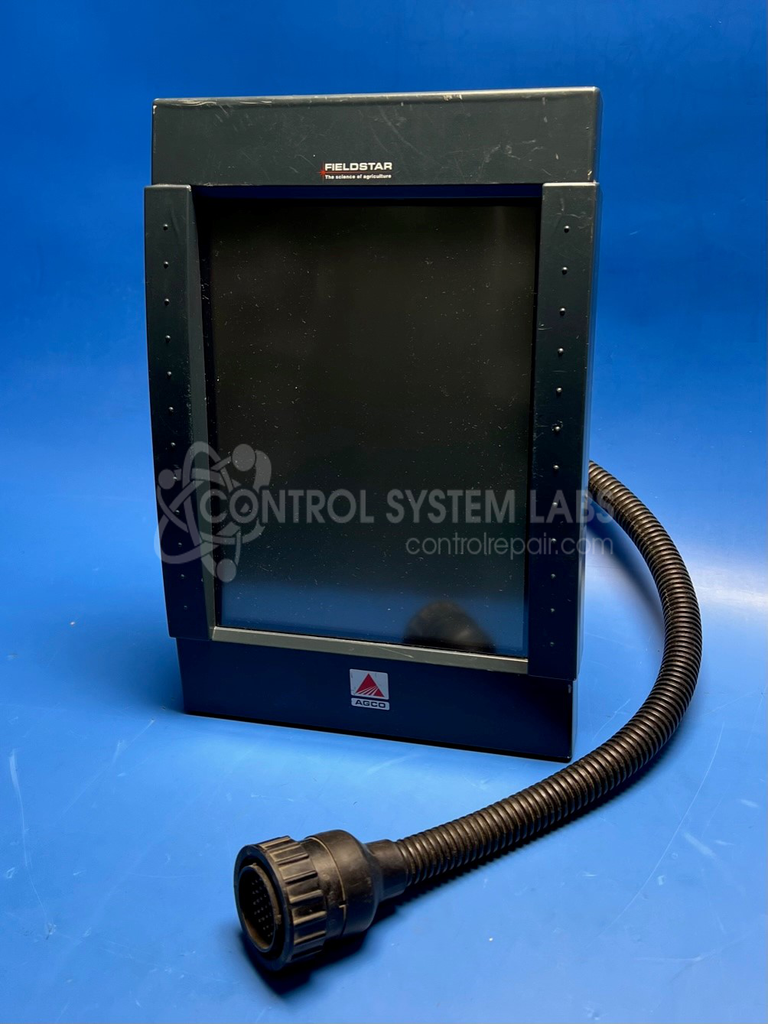
Agco Corporation 28989058 Fieldstar Monochrome MLU Terminal
Repair
Repair Price: $ 1,236.00
Purchase
CSL Part Number: 88641
Product Overview: The Fieldstar Monochrome MLU Terminal is an operator interface panel designed for agricultural equipment control and monitoring. Manufactured by AGCO Corporation, it features a 10.1-inch monochrome touchscreen display for user input and system feedback. This terminal is commonly used in tractors and other farm machinery to control implement functions, monitor field operations, and manage precision agriculture tasks. It connects via RS-232 serial communication and includes internal backup battery support for configuration retention.
Category: Operator & Control Panels
Manufacturer: Agco Corporation
Manufacturer Part Number: 28989058
Series: Agco Fieldstar
If required touchscreen replacement is at additional cost.
Common Failures
Common issues with this product include a non-responsive touch screen and display failure. These problems can result from defective components or damage during use.
Repair Approach
Our team evaluates each unit to identify the scope of repair needed. Repairs may involve replacing defective components such as capacitors and batteries. In some cases, touch screen replacement or repair may be required. When a display is damaged beyond economic repair due to electrical faults, we will provide findings and recommendations during the evaluation process.
Testing & Quality
Repaired units undergo diagnostics and testing, including touch screen calibration and extended run-in procedures to verify functionality. All ports and connections are tested before the unit is returned.
Repair your broken Agco Corporation part
We can repair your Agco Corporation model 28989058 .
Please note: our repair turnaround time may be longer than our standard lead times for this item.
Step 1 -
Click the green button above, "Repair Now," and add to your RMA.
Step 2 -
Print the RMA form that is emailed to you, and put it in a box with the parts for repair.
Step 3 -
Mail the box to the address on the RMA.
You will be sent an authorization for repair via email. Your approval is needed before any work is started.
Once the user has seen at least one product this snippet will be visible.