




Repair
Repair Price: $ 1,312.00
Purchase
CSL Part Number: 86524
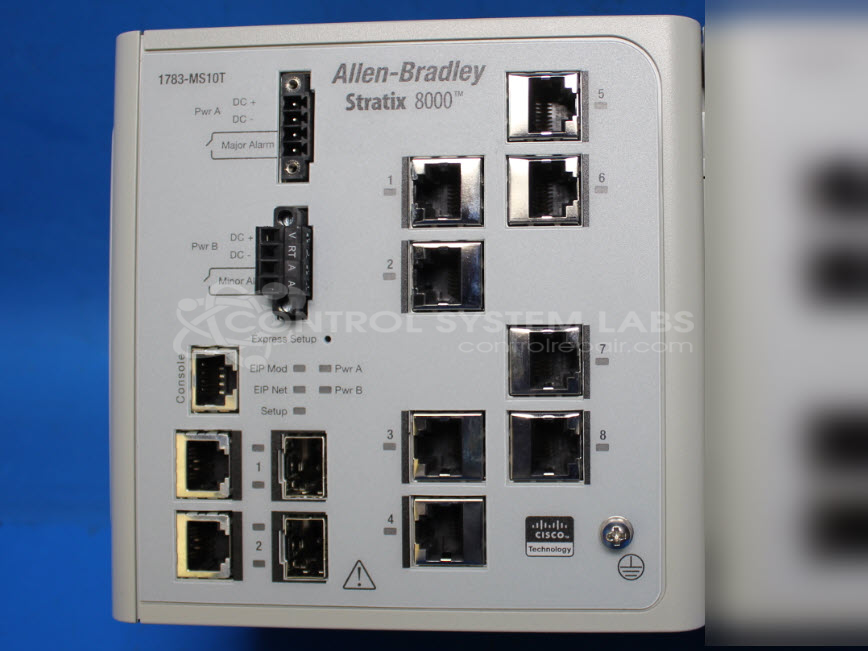
Product Overview: A managed industrial Ethernet switch expansion module that adds configurable copper and fiber (SFP) ports to a modular switch system, extending network connectivity for automation and control devices. It supports managed communications and is used in industrial networking applications such as paper and manufacturing plant control systems.
Category: Control Module
Manufacturer: Allen Bradley
Manufacturer Synonyms: Rockwell Automation, allan bradly
Manufacturer Part Number: 1783-MS10T
Also Known As(AKA): PN-16204
Common Failures
In this repair case, no specific problem was initially reported by the customer. Our analysis of similar past cases indicates that common issues for this product may include communication failures on copper ports or power supply inconsistencies.
Repair Approach
The repair process for this product involves thorough verification of supply voltages and ensuring proper communication on all ports. Diagnostic efforts focus on confirming all essential functions.
Testing & Quality
After repairs, the product undergoes testing to verify that all power supplies and communications on copper ports are operational. Quality control checks are implemented to ensure that the repairs meet CSL service standards before the product is returned.
Service and repair your broken Allen Bradley part
We can repair your Allen Bradley model 1783-MS10T in our facility. Let our skilled technicians get your Allen Bradley back in operation quickly.
Step 1 - Click the green 'Repair Now' button above to add the part and then complete the RMA.
Step 2 - The RMA form will be sent to you via email. Print the RMA form and put it in a box with the item(s) for repair.
Step 3 - Ship or mail the box to the address listed on the RMA.
Once the user has seen at least one product this snippet will be visible.