


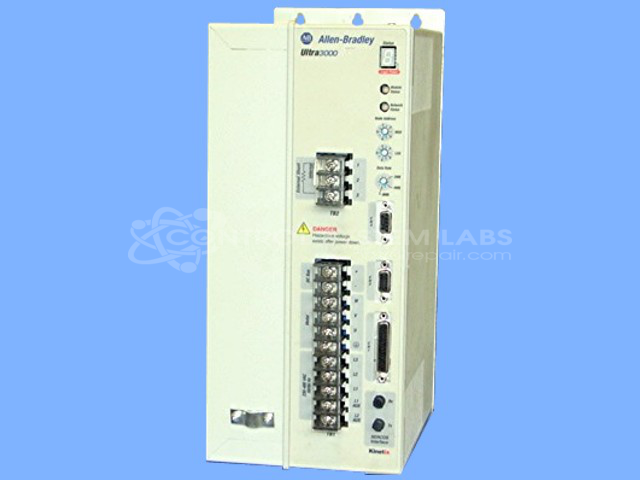


Repair
Repair Price: $ 1,832.00
Purchase
CSL Part Number: 66546
Product Overview: A 10.0kW digital servo drive operating on 230/460V input with SERCOS fiber-optic interface for motion control. It regulates servo motor position, velocity, and torque in automated machinery, including packaging, printing, material handling, and multi-axis coordinated systems requiring high-speed network communication.
Category: Servo Controls
Manufacturer: Allen Bradley
Manufacturer Synonyms: Rockwell Automation, allan bradly
Manufacturer Part Number: 2098-DSD-HV100-SE
Series: Ultra3000 Digital Servo Drives
Common Failures
Units may experience issues due to aged capacitors and malfunctioning resistors, leading to inoperative conditions. Fans and other components can also degrade or fail over time, contributing to performance issues.
Repair Approach
Units undergo thorough cleaning and visual inspection followed by static and dynamic testing to identify defective components. Repairs typically involve replacing aged capacitors, faulty resistors, and other worn components such as fans and hardware. Upon replacing the necessary parts, the unit is evaluated to determine whether full functionality has been restored.
Testing & Quality
Post-repair, units are subjected to comprehensive testing, including load tests, to verify performance. Anti-corrosive protection is applied to circuit boards as necessary, and the units are verified to have accurate switch settings and data rate configurations before being returned.
Service and repair your broken Allen Bradley part
We can repair your Allen Bradley model 2098-DSD-HV100-SE in our facility. Let our skilled technicians get your Allen Bradley back in operation quickly.
Step 1 - Click the green 'Repair Now' button above to add the part and then complete the RMA.
Step 2 - The RMA form will be sent to you via email. Print the RMA form and put it in a box with the item(s) for repair.
Step 3 - Ship or mail the box to the address listed on the RMA.
Once the user has seen at least one product this snippet will be visible.