



Repair
Repair Price: $ 1,416.00
Purchase
CSL Part Number: 45823
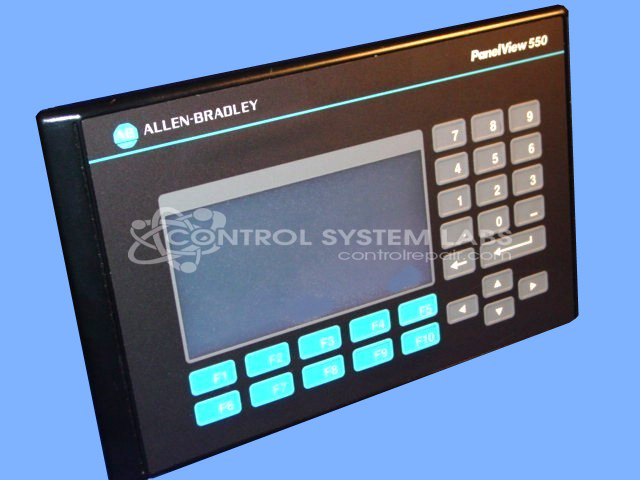
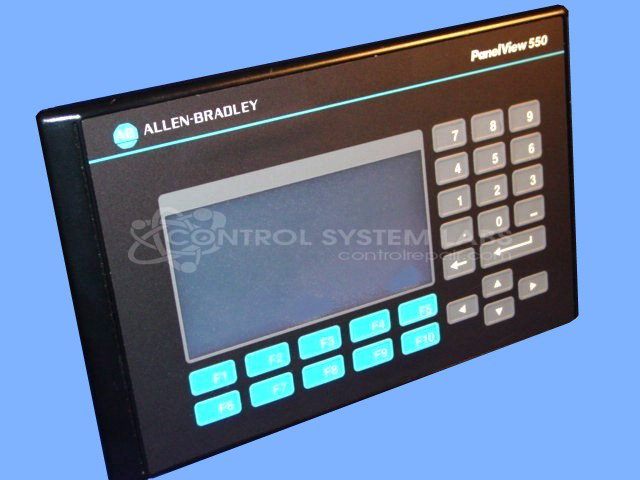
Product Overview: The Allen Bradley 2711-B5A1/E is a PanelView Standard 550 Terminal, an operator interface panel combining a touchscreen display with Remote I/O communication capability. It serves as a human-machine interface (HMI) for monitoring and controlling industrial processes in manufacturing, packaging, and automated production environments. This configuration includes integrated keypad functionality and connects to Allen-Bradley control systems via Remote I/O networks, allowing operators to visualize process data and input commands directly at the machine level.
Category: Operator & Control Panels
Manufacturer: Allen Bradley
Manufacturer Synonyms: Rockwell Automation, allan bradly
Manufacturer Part Number: 2711-B5A1/E
Series: PanelView Standard 550 Terminal
Common Failures
A common issue identified with this product is a disconnected cable between the lamp and the light sensor. This can lead to operational disruptions.
Repair Approach
The primary solution involves reconnecting the cable to ensure the lamp and light sensor function correctly. Diagnostic testing is performed to verify and address the issue.
Testing & Quality
Each unit undergoes comprehensive diagnostic testing, including key pad, display, and date/time installations. Additionally, a burn-in test is conducted to verify quality and performance. This rigorous testing process is overseen by our skilled technicians.
Service and repair your broken Allen Bradley part
We can repair your Allen Bradley model 2711-B5A1/E in our facility. Let our skilled technicians get your Allen Bradley back in operation quickly.
Step 1 - Click the green 'Repair Now' button above to add the part and then complete the RMA.
Step 2 - The RMA form will be sent to you via email. Print the RMA form and put it in a box with the item(s) for repair.
Step 3 - Ship or mail the box to the address listed on the RMA.
Once the user has seen at least one product this snippet will be visible.