



Repair
Repair Price: $ 1,416.00
Purchase
CSL Part Number: 45866
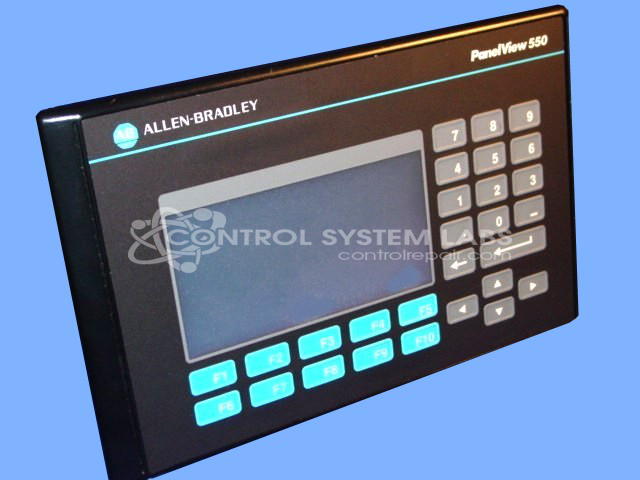
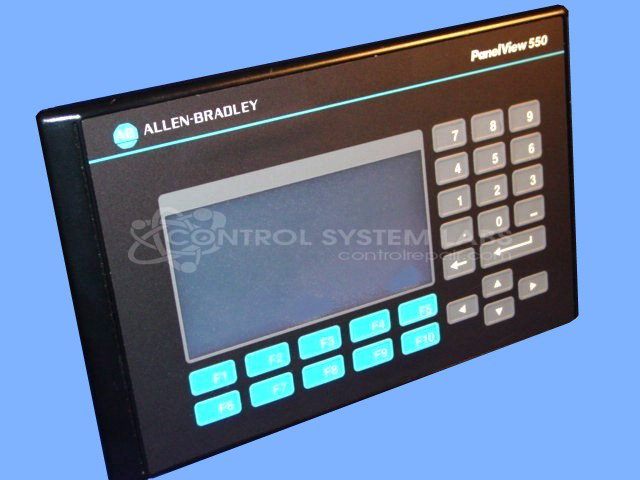
Product Overview: The PanelView 550 is a monochrome touchscreen operator interface terminal with an integrated membrane keypad, designed for human-machine interaction in industrial automation systems. It communicates via DH-485 protocol to connect with Allen-Bradley PLCs and other compatible devices. This terminal is commonly used in manufacturing, packaging, and process control applications where operators need to monitor system status, input commands, and adjust process parameters. It features a compact 5.5-inch display and combines touch and physical key input for versatile control options.
Category: Operator & Control Panels
Manufacturer: Allen Bradley
Manufacturer Synonyms: Rockwell Automation, allan bradly
Manufacturer Part Number: 2711-B5A2/H
Series: PanelView Standard 550 Terminal
Common Failures
One of the main issues reported with this product is the appearance of an error message during boot-up, preventing further progress. This is often linked to a defective membrane keypad or overlay.
Repair Approach
The repair process typically involves replacing the faulty membrane keypad. In some cases, replacing the membrane can resolve the error, allowing the unit to boot up without hindrance. Further diagnostic tests are conducted to verify that the components are functioning correctly after these replacements.
Testing & Quality
Extensive testing procedures, including a burn-in test and verification of touchscreen and keypad functionality, are conducted to evaluate repairs. These tests verify that no faults remain after the repair work is completed.
Service and repair your broken Allen Bradley part
We can repair your Allen Bradley model 2711-B5A2/H in our facility. Let our skilled technicians get your Allen Bradley back in operation quickly.
Step 1 - Click the green 'Repair Now' button above to add the part and then complete the RMA.
Step 2 - The RMA form will be sent to you via email. Print the RMA form and put it in a box with the item(s) for repair.
Step 3 - Ship or mail the box to the address listed on the RMA.
Once the user has seen at least one product this snippet will be visible.