



Repair
Repair Price: $ 2,604.00
Purchase
CSL Part Number: 46166
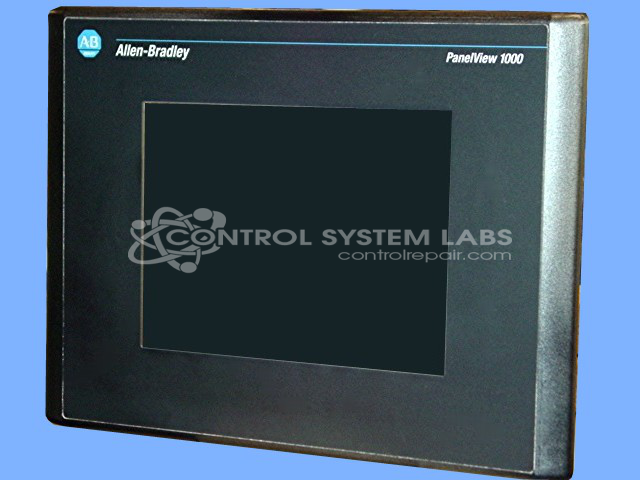
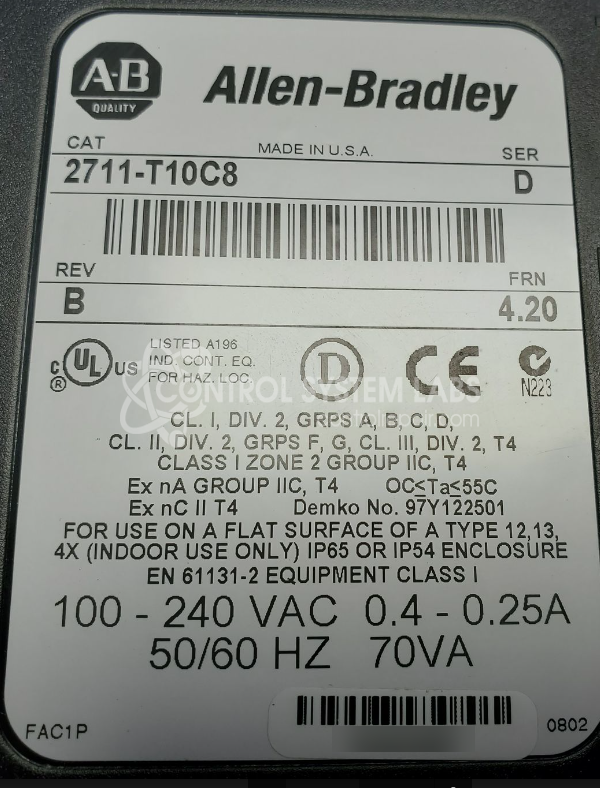
Product Overview: The PanelView 1000 is a 10.4-inch color touchscreen operator interface terminal used for monitoring and controlling industrial automation systems. It features a 640x480 RGB LCD display with resistive touchscreen technology and connects to Allen-Bradley PLCs and other devices via RS-232 or RS-422/485 communication ports. Commonly found in manufacturing lines, packaging equipment, and process control applications, it provides real-time data visualization and machine control through a graphical user interface. The Series D revision includes enhanced memory and processing capabilities for running panel applications.
Category: Operator & Control Panels
Manufacturer: Allen Bradley
Manufacturer Synonyms: Rockwell Automation, allan bradly
Manufacturer Part Number: 2711-T10C8/D
Series: PanelView 1000 Terminal
Common Failures
Common issues with this product include a dim screen and erratic touchscreen behavior. These symptoms are typically associated with failing backlight components and a deteriorating display.
Repair Approach
The standard repair involves replacing the damaged LCD screen and the associated reset button when physically damaged. Additionally, backlight capacitors are replaced to address issues with dimming and to help reduce noise from the backlight inverter. Preventative replacement of electrolytic capacitors is also conducted to enhance product reliability.
Testing & Quality
Post-repair, the product undergoes a thorough cleaning and a burn-in test lasting 96 hours to verify stability. During this test, the screen is monitored for any signs of dimming, jittering, or other functional issues.
Service and repair your broken Allen Bradley part
We can repair your Allen Bradley model 2711-T10C8/D in our facility. Let our skilled technicians get your Allen Bradley back in operation quickly.
Step 1 - Click the green 'Repair Now' button above to add the part and then complete the RMA.
Step 2 - The RMA form will be sent to you via email. Print the RMA form and put it in a box with the item(s) for repair.
Step 3 - Ship or mail the box to the address listed on the RMA.
Once the user has seen at least one product this snippet will be visible.