




Repair
Repair Price: $ 1,494.00
Purchase
CSL Part Number: 119428
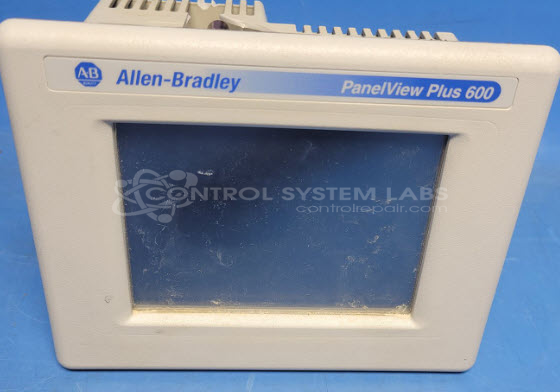
Product Overview: The Allen-Bradley PanelView Plus 600 Series 2711P-T6C20A is a 6.5-inch color touchscreen human-machine interface (HMI) used for operator control and monitoring in industrial automation systems. It features a resistive touch display with CCFL backlighting and operates on 24 VDC power. This Series C model is commonly found in manufacturing equipment, packaging machinery, and process control applications where operators need visual feedback and machine interaction capabilities. It communicates with Allen-Bradley PLCs and other control devices using Ethernet and serial protocols.
Category: Operator & Control Panels
Manufacturer: Allen Bradley
Manufacturer Synonyms: Rockwell Automation, allan bradly
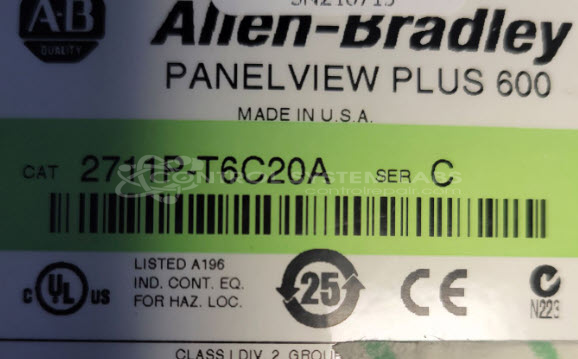
Manufacturer Part Number: 2711P-T6C20A
Series: PanelView Plus 600
Price shown is for a typical repair. Your price will be quoted after evaluation.
Common Failures
A notable issue with this product involves the screen remaining blank and the unit failing to power on. This can be attributed to failed CCFL lamps within the display or power supply faults.
Repair Approach
Repairs may involve checking and replacing non-functioning CCFL lamps. If the power supply is suspected, substitution with a known working power supply can be performed during evaluation. In some cases, replacement of plastic case parts may also be necessary to restore full functionality and structural integrity.
Service and repair your broken Allen Bradley part
We can repair your Allen Bradley model 2711P-T6C20A in our facility. Let our skilled technicians get your Allen Bradley back in operation quickly.
Step 1 - Click the green 'Repair Now' button above to add the part and then complete the RMA.
Step 2 - The RMA form will be sent to you via email. Print the RMA form and put it in a box with the item(s) for repair.
Step 3 - Ship or mail the box to the address listed on the RMA.
Once the user has seen at least one product this snippet will be visible.