



Repair
Repair Price: $ 2,420.00
Purchase
CSL Part Number: 44426
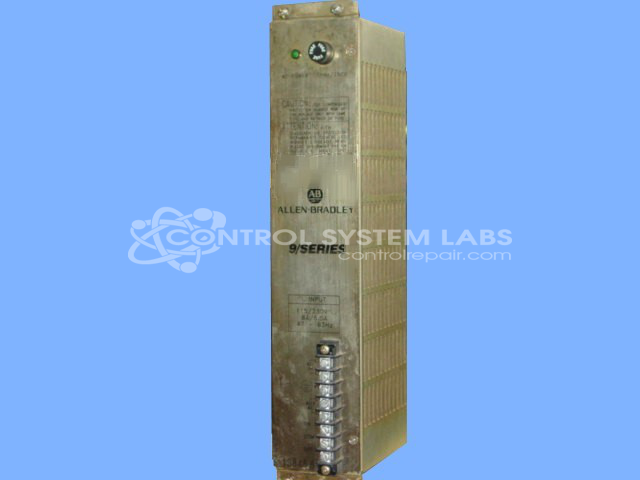
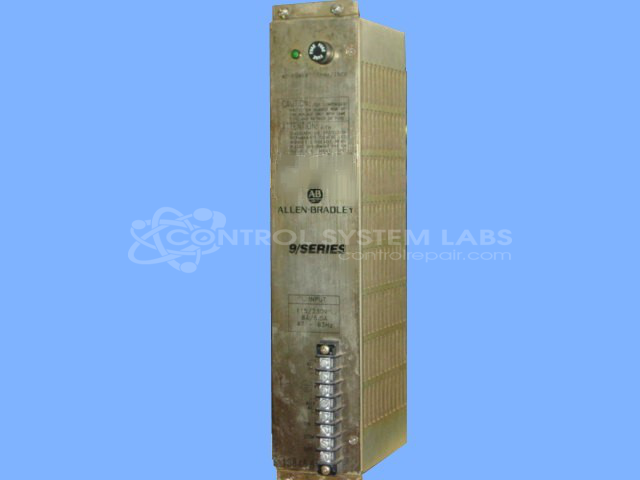
Product Overview: The Allen Bradley 8520-PS1A is a multiple-output power supply designed for the 9/Series CNC control system. It provides several DC voltage rails including ±15V outputs to power CNC hardware components. This module incorporates auto line voltage detection circuitry (switchable between 120VAC and 240VAC input) and uses a linear regulator design with rectifiers mounted on heatsinks. Commonly found in older Allen Bradley CNC installations requiring stable, regulated DC power for control logic and interface circuits.
Category: Power Supply
Manufacturer: Allen Bradley
Manufacturer Synonyms: Rockwell Automation, allan bradly
Alternate Manufacturer Names: POWER SYSTEMS
Manufacturer Part Number: 8520-PS1A
Series: 8520 9/Series CNC Hardware
Other Synonyms: POWER SYSTEMS
Power supplies are tested with a minimum 4-hour burn-in, under load.
Common Failures
One frequent issue with this product is the +15V power supply being low or missing, which can lead to functionality problems. This typically stems from issues with the automatic line voltage detection module or improper connections during past repair attempts.
Repair Approach
Repairs often involve replacing components such as electrolytic capacitors to restore the voltages. In some cases, manual corrections such as resoldering connections and modifying the line voltage detection module for specific voltage operation may be necessary to address issues. This may require considerable mechanical disassembly and reassembly to access affected areas.
Testing & Quality
After completing repairs, the product undergoes testing, including burn-in with load, to verify reliability and proper functioning. This testing process helps verify the product meets quality standards before being returned to customers.
Service and repair your broken Allen Bradley part
We can repair your Allen Bradley model 8520-PS1A in our facility. Let our skilled technicians get your Allen Bradley back in operation quickly.
Step 1 - Click the green 'Repair Now' button above to add the part and then complete the RMA.
Step 2 - The RMA form will be sent to you via email. Print the RMA form and put it in a box with the item(s) for repair.
Step 3 - Ship or mail the box to the address listed on the RMA.
Once the user has seen at least one product this snippet will be visible.