




Repair
Repair Price: $ 2,540.00
Purchase
CSL Part Number: 18047
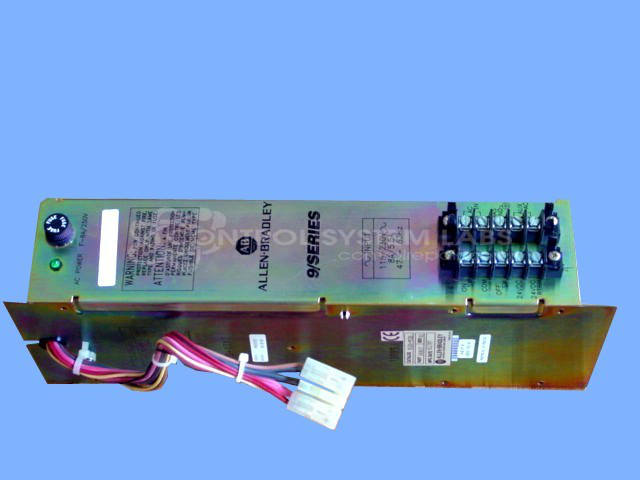
Product Overview: A multiple voltage power supply for 9/Series CNC hardware, delivering regulated +5, +15, -15, and +24 VDC outputs to power the control motherboard and associated electronics. Accepts AC input with automatic voltage switching between 115 and 230 VAC. Used in industrial CNC machine tool control systems.
Category: Power Supply
Manufacturer: Allen Bradley
Manufacturer Synonyms: Rockwell Automation, allan bradly
Alternate Manufacturer Names: POWER SYSTEMS
Manufacturer Part Number: 8520-PS2
Series: 8520 9/Series CNC Hardware
Other Synonyms: POWER SYSTEMS
Power supplies are tested with a minimum 4-hour burn-in, under load.
Common Failures
Units submitted for repair have exhibited symptoms including failure to energize the motherboard and blank or non-functional displays. Evaluation has identified defective capacitors or malfunctioning auto AC voltage switching modules as typical findings.
Repair Approach
Repairs may involve replacing defective capacitors of various capacitance values. For units with a faulty AC voltage switching module, the module may be removed and replaced with a jumper for 115VAC input only when the module is beyond economic repair.
Testing & Quality
Repaired units undergo testing to verify proper functionality. Output voltages are verified at +5, +15, -15, and +24 volts while the unit is under load for a minimum of two to four hours before the product is returned.
Service and repair your broken Allen Bradley part
We can repair your Allen Bradley model 8520-PS2 in our facility. Let our skilled technicians get your Allen Bradley back in operation quickly.
Step 1 - Click the green 'Repair Now' button above to add the part and then complete the RMA.
Step 2 - The RMA form will be sent to you via email. Print the RMA form and put it in a box with the item(s) for repair.
Step 3 - Ship or mail the box to the address listed on the RMA.
Once the user has seen at least one product this snippet will be visible.