




Repair
Call for price
Purchase
CSL Part Number: 13577
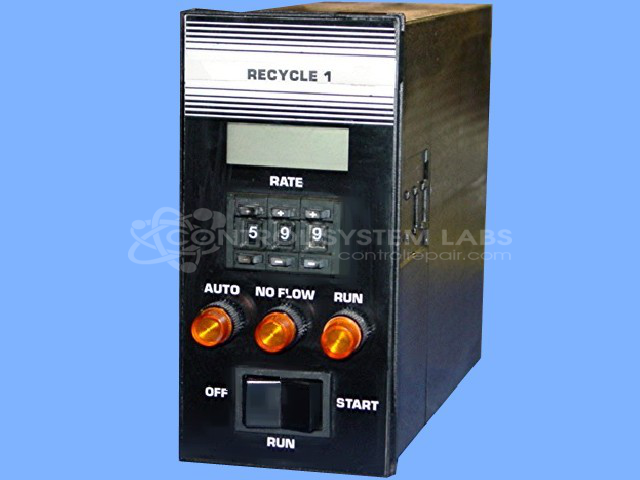
Product Overview: A feed rate controller board for regulating motor speed and material feed in industrial drive systems, commonly used in paper processing equipment. It features front-panel thumbwheel setpoint adjustment, a run indicator lamp, latching run control, and onboard DC power supply regulation.
Category: Motor Controls
Manufacturer: Ameacon
Manufacturer Part Number: PWB147B REV 3
Common Failures
Several common issues have been observed with this product. These include failure to operate, display visibility concerns, issues with the unit not staying in run mode, and loss of speed control due to front panel thumbwheel or run lamp concerns.
Repair Approach
Repairs may involve replacing damaged components, such as diodes, capacitors, and opto-couplers, which can be affected by electrical surges or wear over time. For specific issues like the run mode problem, verifying and replacing power supply components such as capacitors may resolve the issue. Cleaning and repairing the display or control interfaces may also restore functionality in units that have gathered dust or developed malfunctioning control inputs.
Testing & Quality
After repairs, each unit undergoes testing to verify operational capability. This includes checking functions, power supply voltages, and conducting burn-in tests to validate reliability under continuous use. These processes help ensure that repaired units meet quality standards before being returned to customers.
Service and repair your broken Ameacon part
We can repair your Ameacon model PWB147B REV 3 in our facility. Let our skilled technicians get your Ameacon back in operation quickly.
Step 1 - Click the green 'Repair Now' button above to add the part and then complete the RMA.
Step 2 - The RMA form will be sent to you via email. Print the RMA form and put it in a box with the item(s) for repair.
Step 3 - Ship or mail the box to the address listed on the RMA.
Once the user has seen at least one product this snippet will be visible.