



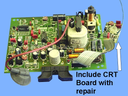
Repair
Repair Price: $ 624.00
Purchase
CSL Part Number: 66355
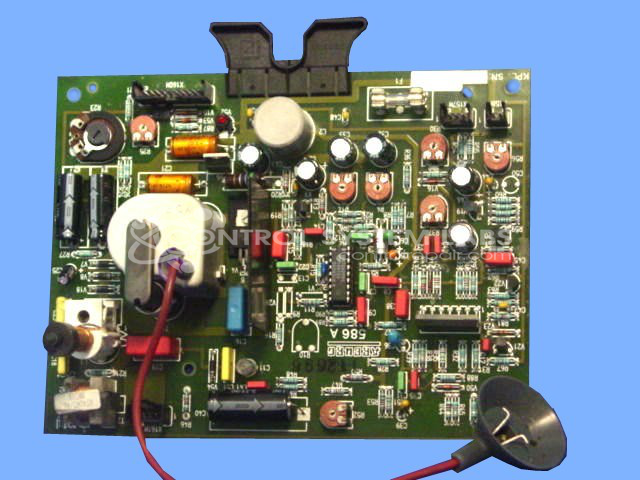
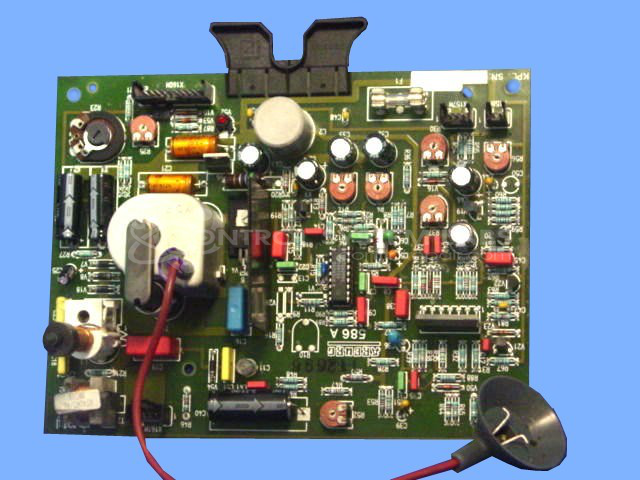
Product Overview: The All Rounder 586A Monitor Board (Arburg 107.361A) is a CRT display control board used in Arburg All Rounder injection molding machines. It drives and controls the CRT monitor that displays machine parameters and operational data for the operator interface. This board features a 7-pin CRT tube socket and voltage regulation circuitry to provide proper signals and power to the display tube. It is commonly found in Arburg 598 and similar All Rounder series machines from the era of CRT-based control systems.
Category: Control Board
Manufacturer: Arburg
Manufacturer Part Number: 107.361A
Also Known As(AKA): 586A
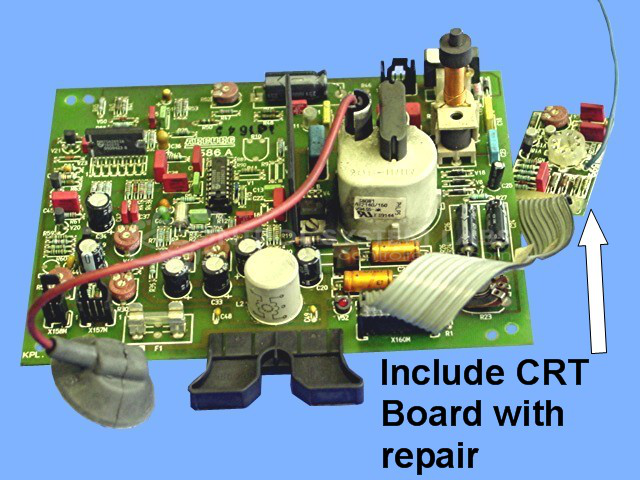
Include the CRT small board with the repair. See picture with arrow above.
Common Failures
One prevalent issue with this product is that the monitor or screen does not function correctly. This can be caused by defective components on the monitor board, such as capacitors that have become degraded or shorted.
Repair Approach
The repair process may involve replacing faulty components such as capacitors and sockets on the circuit board. Ensuring the proper functionality of these components is important for the monitor to operate as expected.
Testing & Quality
After repairs, the product undergoes testing, which may include an extended burn-in test with a test signal, to help ensure the integrity of the repair. A co-check process by technicians is also part of the quality assurance to verify that issues have been addressed and the product performs correctly.
Service and repair your broken Arburg part
We can repair your Arburg model 107.361A in our facility. Let our skilled technicians get your Arburg back in operation quickly.
Step 1 - Click the green 'Repair Now' button above to add the part and then complete the RMA.
Step 2 - The RMA form will be sent to you via email. Print the RMA form and put it in a box with the item(s) for repair.
Step 3 - Ship or mail the box to the address listed on the RMA.
Once the user has seen at least one product this snippet will be visible.