



Repair
Repair Price: $ 2,596.00
Purchase
CSL Part Number: 36155
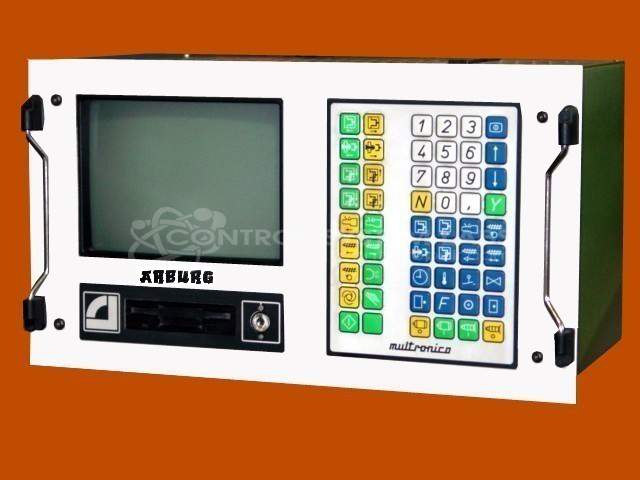
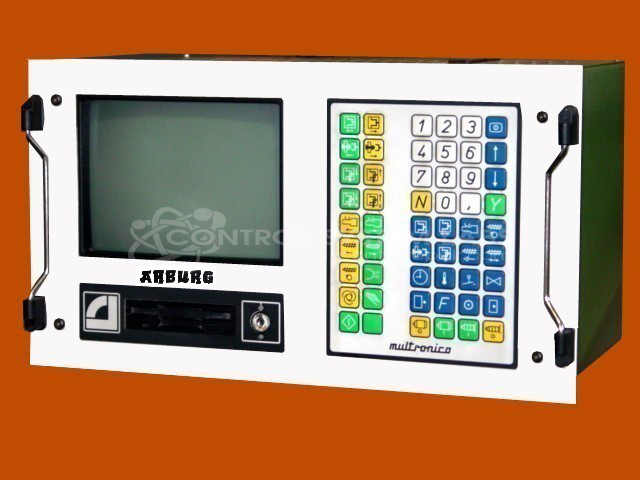
Product Overview: The Arburg Multronica Hydronica control panel is an operator interface for injection molding machines. It features an integrated CRT display for monitoring and controlling machine parameters during plastics processing operations. This panel manages hydraulic and process functions, enabling operators to program cycles, adjust pressures and temperatures, and monitor production status. Commonly found on Arburg injection molding presses from the Multronica generation, it serves as the primary human-machine interface for setup, operation, and diagnostics.
Category: Control Panel
Manufacturer: Arburg
Manufacturer Part Number: 270M350-90
Series: Multronica Hydronica
Please include disks, key and your wiring diagram when sending in your MULTRONICA. We also offer a floppy disk to flash drive upgrade. Contact us.
Common Failures
The communication board in this product can sustain damage due to the application of an improper power supply, which may result in burnt components and scorch marks. The primary symptom of such failure is non-functional communication capabilities.
Repair Approach
When the communication board is affected by improper power supply inputs, CSL can evaluate the unit and provide a quotation before any repair work begins. Typical repairs may involve replacing damaged components, such as protection diodes, subject to evaluation and customer approval.
Testing & Quality
Post-repair, thorough testing is undertaken to confirm that the communication functions are restored. Testing verifies that the unit operates without fault and that the communication board is functioning correctly after component replacement.
Service and repair your broken Arburg part
We can repair your Arburg model 270M350-90 in our facility. Let our skilled technicians get your Arburg back in operation quickly.
Step 1 - Click the green 'Repair Now' button above to add the part and then complete the RMA.
Step 2 - The RMA form will be sent to you via email. Print the RMA form and put it in a box with the item(s) for repair.
Step 3 - Ship or mail the box to the address listed on the RMA.
Once the user has seen at least one product this snippet will be visible.