




Repair
Repair Price: $ 2,724.00
Purchase
CSL Part Number: 80829
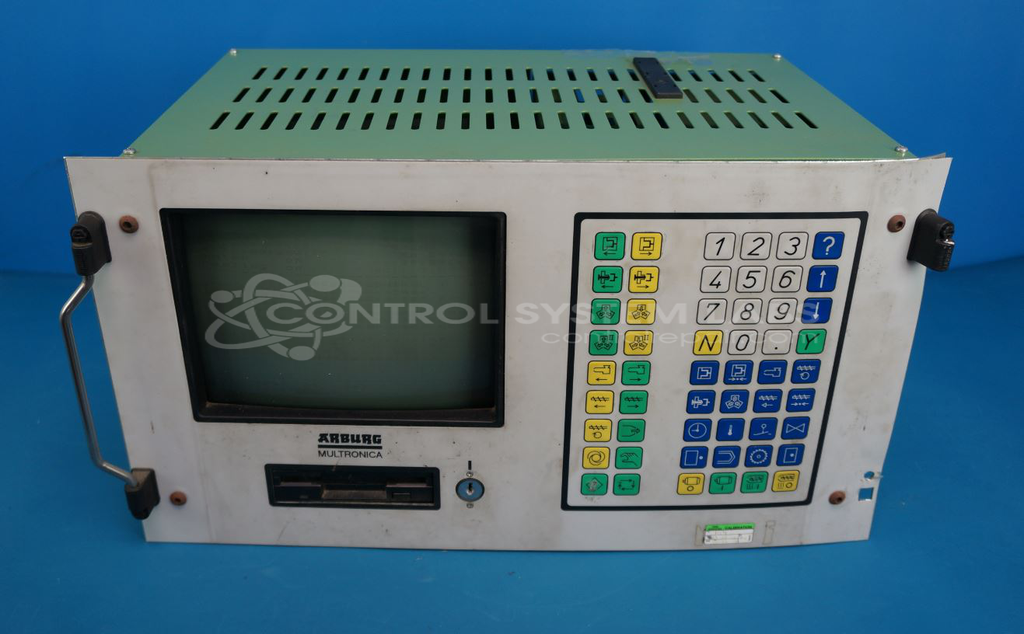
Product Overview: An operator control panel with an integrated CRT display used on injection molding machines. It manages machine functions including hydraulic pump control, injection, clamping, and temperature regulation. Features modular construction with power supply, CPU, clamp, injection, and temperature modules, plus a floppy drive and EPROM-based program storage.
Category: Control Panel
Manufacturer: Arburg
Manufacturer Part Number: 320 M500-90
Series: Multronica Hydronica
Also Known As(AKA): 1073SM
Please include disks, key and your wiring diagram when sending in your MULTRONICA. We also offer a floppy disk to flash drive upgrade. Contact us.
Common Failures
Common issues reported include damaged circuit boards, input faults that prevent proper boot, difficulty reading floppy discs, intermittent display quality concerns, and controller reboots when starting certain components.
Repair Approach
Repairs may involve replacing electrolytic capacitors, installing new components, and adjusting connections as needed. In cases involving controller reboots or display concerns, filter coils may be rewound, and the unit is thoroughly inspected. Floppy drives and other critical components are repaired or replaced when necessary.
Testing & Quality
Repaired units are tested to verify proper operation. Testing may include extended burn-in procedures to confirm stability and performance. Units that cannot be repaired are returned with an explanation of the findings.
Service and repair your broken Arburg part
We can repair your Arburg model 320 M500-90 in our facility. Let our skilled technicians get your Arburg back in operation quickly.
Step 1 - Click the green 'Repair Now' button above to add the part and then complete the RMA.
Step 2 - The RMA form will be sent to you via email. Print the RMA form and put it in a box with the item(s) for repair.
Step 3 - Ship or mail the box to the address listed on the RMA.
Once the user has seen at least one product this snippet will be visible.