


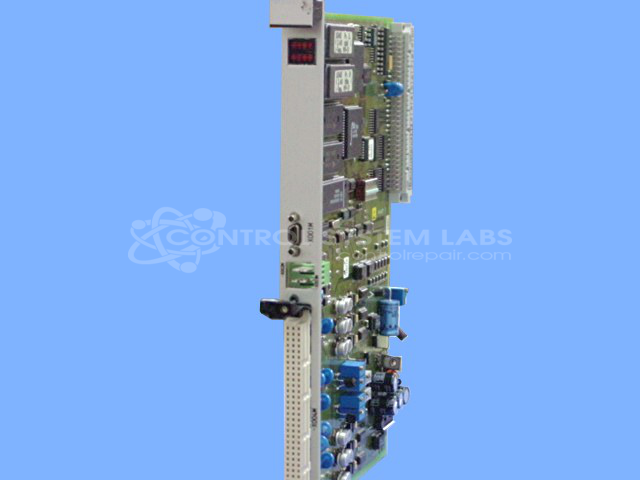


Repair
Repair Price: $ 1,932.00
Purchase
CSL Part Number: 37194
Product Overview: A temperature regulator control board that reads thermocouple inputs through optically isolated channels and manages heating outputs to maintain setpoints in injection molding machines. It features isolated DC power supplies, EPROM-based control logic, and multi-zone temperature feedback and output switching.
Category: Control Board
Manufacturer: Arburg
Manufacturer Part Number: 74B-8212
Also Known As(AKA): 115245 BD. P/N
Common Failures
Some units have experienced damage to thermocouple inputs due to incorrect voltage application, which can affect multiple components. Other units have been received with reported control issues that could not be duplicated during evaluation.
Repair Approach
The repair process may involve replacement of damaged capacitors, inductors, and integrated circuits as needed. We verify the integrity of isolated power supplies and signal paths. When reported issues cannot be duplicated, we conduct thorough bench testing to verify operational functionality before determining whether component replacement is necessary.
Testing & Quality
Post-repair testing includes verification of isolated thermocouple inputs, power supply capacitors, and DC supply operation. Outputs and feedback signals are tested through opto-isolator and integrated circuit pathways to confirm proper function. Units are bench tested as appropriate to verify reliability prior to return.
Service and repair your broken Arburg part
We can repair your Arburg model 74B-8212 in our facility. Let our skilled technicians get your Arburg back in operation quickly.
Step 1 - Click the green 'Repair Now' button above to add the part and then complete the RMA.
Step 2 - The RMA form will be sent to you via email. Print the RMA form and put it in a box with the item(s) for repair.
Step 3 - Ship or mail the box to the address listed on the RMA.
Once the user has seen at least one product this snippet will be visible.