




Repair
Repair Price: $ 1,700.00
Purchase
CSL Part Number: 82374
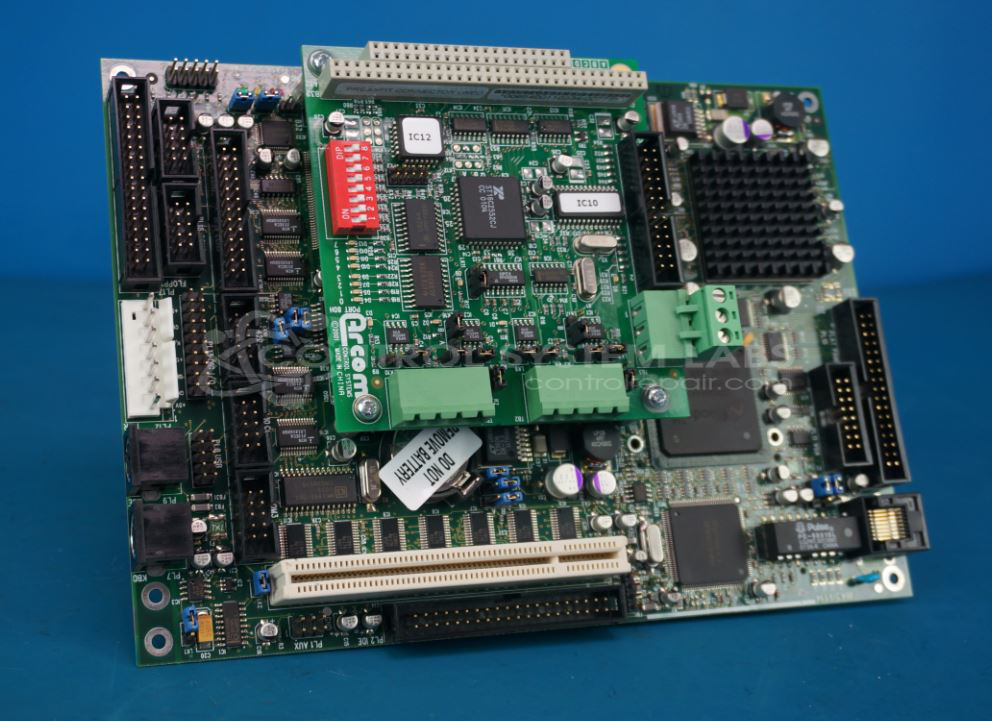
Product Overview: A paired single-board computer and I/O module forming a control assembly for industrial refrigeration systems. The CPU board runs a DOS-based application from a CompactFlash card and supports keypad and LCD/VGA display interfaces, while the I/O board handles field signals, commonly used in Frick screw compressor control panels.
Category: Control Assembly
Manufacturer: Arcom Control Systems Ltd.
Manufacturer Part Number: SBC-GX1 with AIM104-FRICK IO
Common Failures
Several common issues have been identified in this product. These include failure to boot due to damaged flash memory, problems with keyboard control and display synchronization related to BIOS settings, power-up issues linked to a malfunctioning flash card, and no display output due to video IC issues.
Repair Approach
Repairs typically involve reloading or modifying system firmware, such as installing the operating system on a compact flash card or adjusting BIOS settings to restore keyboard functionality. In instances where external connections, like a VGA display, are involved, adjusting jumper settings has resolved voltage discrepancies. However, some issues, such as video IC failures where components are not replaceable, may result in units being returned unrepaired or classified as Beyond Economic Repair.
Testing & Quality
After repairs, products undergo comprehensive testing to ensure issues such as boot failures and control responsiveness are resolved. When issues cannot be resolved through repair efforts, such as certain video IC malfunctions, units are verified through detailed inspection before being returned to the customer.
Service and repair your broken Arcom Control Systems Ltd. part
We can repair your Arcom Control Systems Ltd. model SBC-GX1 with AIM104-FRICK IO in our facility. Let our skilled technicians get your Arcom Control Systems Ltd. back in operation quickly.
Step 1 - Click the green 'Repair Now' button above to add the part and then complete the RMA.
Step 2 - The RMA form will be sent to you via email. Print the RMA form and put it in a box with the item(s) for repair.
Step 3 - Ship or mail the box to the address listed on the RMA.
Once the user has seen at least one product this snippet will be visible.