


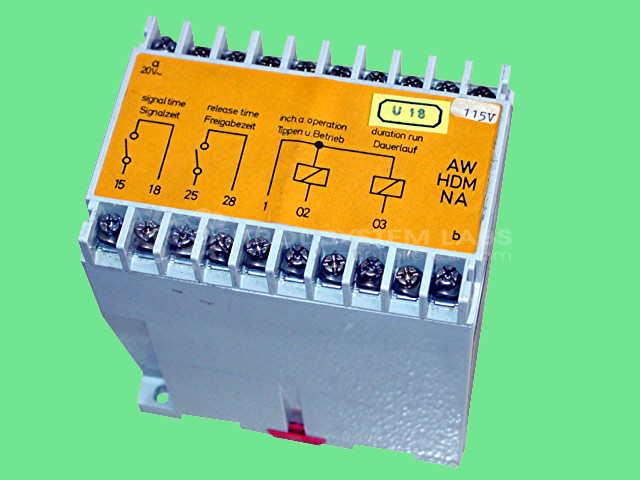


Repair
Repair Price: $ 388.00
Purchase
CSL Part Number: 11803
Product Overview: A rail-mounted dual relay timer providing timed switching of two 110 VAC output relays for industrial control sequencing. Commonly used in printing press equipment to manage timed functions such as release-time operations. Features dual relay outputs with configurable contacts.
Category: Timers
Manufacturer: ART
Manufacturer Part Number: AW-HDM-NA/00
Also Known As(AKA): HOCKENHEIM
Common Failures
Evaluation of these units has identified control issues that may be related to relay or capacitor concerns. Reported symptoms have included intermittent operation, issues when the unit is cold, and output problems where specific contacts do not function as expected. Components such as 110VAC relays and 470uf capacitors have been noted during review.
Repair Approach
The typical repair procedure may involve replacement of defective relays and capacitors, along with cleaning and resoldering as needed. For example, 110VAC relays may be replaced if found to be defective, and capacitors may be replaced as a precautionary measure. Once repairs are completed, units undergo functional testing to verify proper operation.
Testing & Quality
Repaired units are tested to verify operation and address reported concerns. Testing procedures include function checks and extended run time to confirm reliability. These procedures help ensure that units meet operational standards before being returned.
Service and repair your broken ART part
We can repair your ART model AW-HDM-NA/00 in our facility. Let our skilled technicians get your ART back in operation quickly.
Step 1 - Click the green 'Repair Now' button above to add the part and then complete the RMA.
Step 2 - The RMA form will be sent to you via email. Print the RMA form and put it in a box with the item(s) for repair.
Step 3 - Ship or mail the box to the address listed on the RMA.
Once the user has seen at least one product this snippet will be visible.