



Repair
Repair Price: $ 1,292.00
Purchase
CSL Part Number: 29940
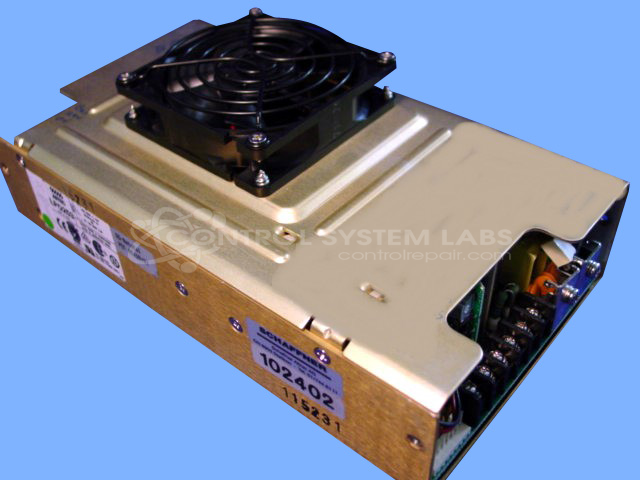
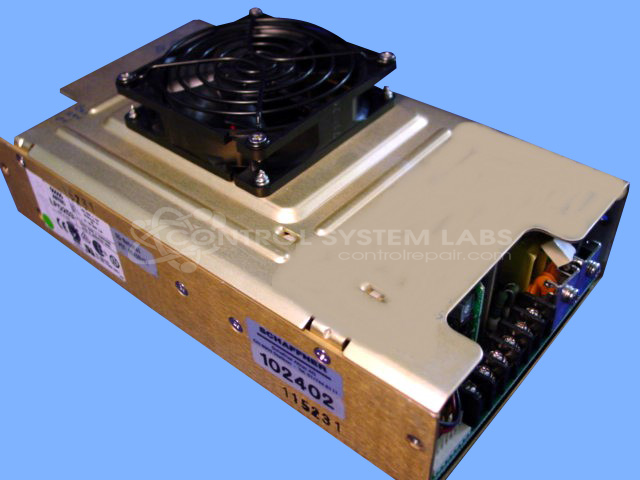
Product Overview: The Astec LPQ250 (model LPQ253-C) is a multiple-output switching power supply providing 5V, 12V, 15V, and 24V DC outputs. It is commonly used in CTP (computer-to-plate) imaging systems and other industrial printing equipment. This open-frame design requires a minimum of 30 CFM forced airflow for proper cooling and reliable operation. The unit features regulated outputs with inductors for filtering and load stability across multiple voltage rails.
Category: Power Supply
Manufacturer: Astec
Manufacturer Part Number: LPQ253-C
Power supplies are tested with a minimum 4-hour burn-in, under load.
Common Failures
Common failure modes observed in these power supply units include thermal-related component degradation and voltage regulation issues. Units submitted for evaluation have shown evidence of thermal stress, component damage, and failure to maintain specified output voltage under load conditions.
Repair Approach
Our evaluation process includes disassembly, visual inspection, and component-level assessment to determine the extent of damage and identify potential repair options. Depending on findings, we provide a quotation for repair before any work begins. In cases where damage is extensive or replacement components are not readily available, the unit may be classified as Beyond Economic Repair.
Testing & Quality
Our quality assurance process includes diagnostic testing under controlled conditions, thermal assessment, and electronic load testing where applicable. Testing procedures are designed to identify failure modes and verify proper operation following repair. Units are tested according to CSL standards to ensure they meet serviceable condition requirements before return.
Service and repair your broken Astec part
We can repair your Astec model LPQ253-C in our facility. Let our skilled technicians get your Astec back in operation quickly.
Step 1 - Click the green 'Repair Now' button above to add the part and then complete the RMA.
Step 2 - The RMA form will be sent to you via email. Print the RMA form and put it in a box with the item(s) for repair.
Step 3 - Ship or mail the box to the address listed on the RMA.
Once the user has seen at least one product this snippet will be visible.