


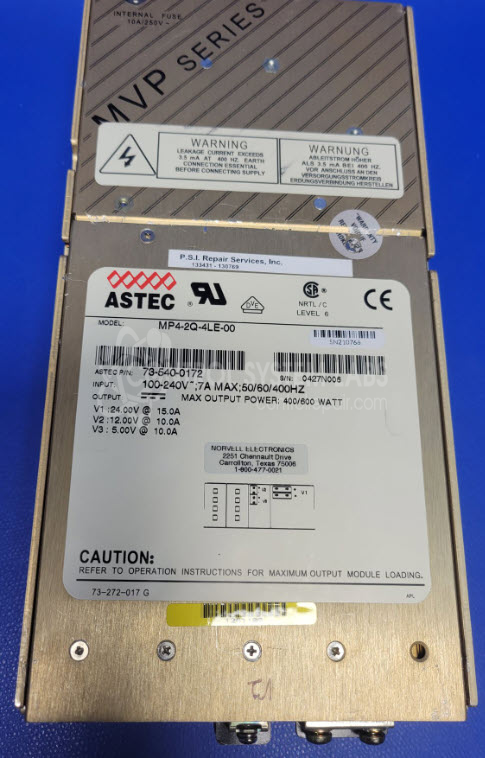
Astec MP4-2Q-4LE-00 100-240 VAC 7 A 50/60/400Hz In, 5 VDC @ 10 A, 12 VDC @ 10 A, 24 VDC @ 15 A Out, Power Supply


Repair
Repair Price: $ 1,495.00
Purchase
CSL Part Number: 119561
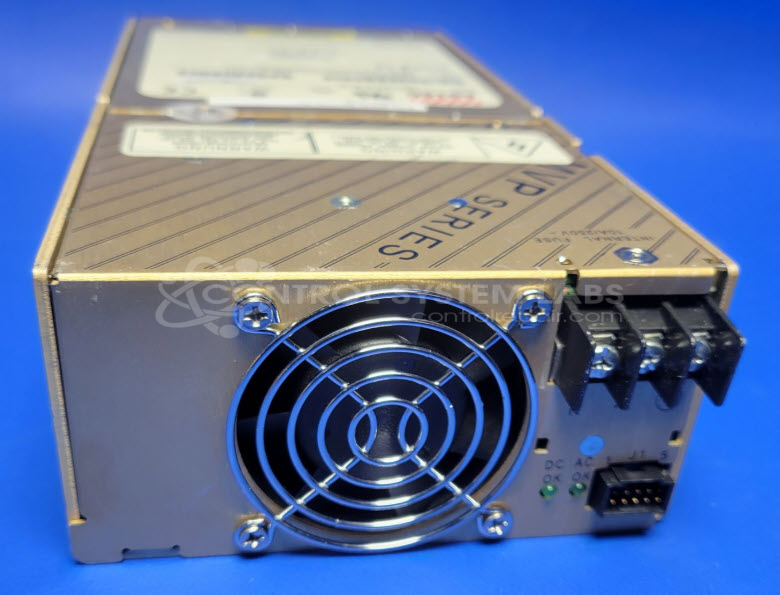
Product Overview: The Astec MP4-2Q-4LE-00 is a multi-output switching power supply that accepts universal AC input (100-240 VAC, 50/60/400Hz) and delivers three regulated DC outputs: 5 VDC at 10 A, 12 VDC at 10 A, and 24 VDC at 15 A. It features separate power supply modules for the 24 VDC rail and the combined 5/12 VDC rails, with status LEDs indicating AC power and DC output presence. This configuration is commonly used in industrial control systems, automation equipment, and instrumentation requiring multiple voltage levels from a single compact unit.
Category: Power Supply
Manufacturer: Astec
Manufacturer Part Number: MP4-2Q-4LE-00
Also Known As(AKA): 73-540-0172
Please include symptoms and how much of a load each output voltage of this supply is used on.
Common Failures
When applying the standard 120 VAC input, the 'AC ON' LED is activated, and the cooling fan operates correctly. However, a frequent issue is that the 'DC ON' LED does not light up, and there is no DC output, with all measured outputs reading 0 VDC. This issue affects the unit's ability to supply 24 VDC, 12 VDC, and 5 VDC as expected.
Repair Approach
The initial inspection verifies the reported condition with the power supply unit. Basic checks, such as examining the fuses and the bridge, generally show no immediate faults. Additional evaluation time and access to internal components may be required to determine the root cause and provide a quotation for repair.
Service and repair your broken Astec part
We can repair your Astec model MP4-2Q-4LE-00 in our facility. Let our skilled technicians get your Astec back in operation quickly.
Step 1 - Click the green 'Repair Now' button above to add the part and then complete the RMA.
Step 2 - The RMA form will be sent to you via email. Print the RMA form and put it in a box with the item(s) for repair.
Step 3 - Ship or mail the box to the address listed on the RMA.
Once the user has seen at least one product this snippet will be visible.