


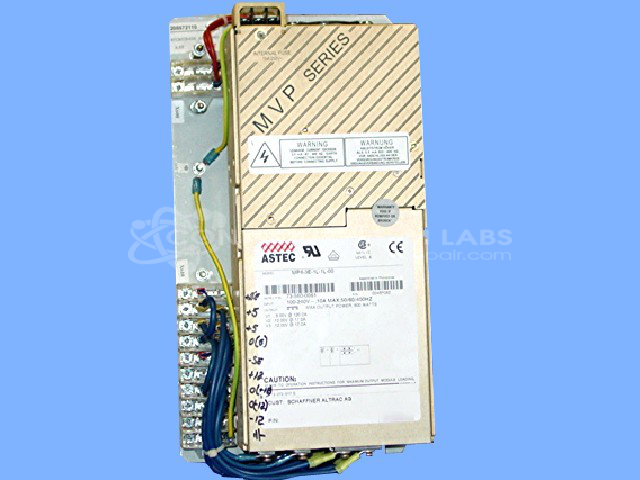


Repair
Repair Price: $ 888.00
Purchase
CSL Part Number: 63278
Product Overview: A configurable modular switching power supply delivering 600 watts across three independent outputs. It converts AC line input to regulated DC for industrial equipment, automation systems, and electronic instrumentation. Features user-configurable output modules for flexible voltage and current requirements, with cooling fan support for high-load applications.
Category: Power Supply
Manufacturer: Astec
Manufacturer Part Number: MP6-2E-4LL-01
Series: MVP Series Power Supply
Power supplies are tested with a minimum 4-hour burn-in, under load.
Common Failures
This product may experience issues with its 12-volt module. Common reported problems include electrolytic capacitor failures and 12-volt fan malfunctions. These issues can lead to operational disruptions and may require component-level repair or replacement upon evaluation.
Repair Approach
Our repair approach typically involves replacing faulty components, such as electrolytic capacitors and 12-volt fans, as determined during evaluation. We may apply thermal pads as part of a module upgrade to improve performance. These repairs are intended to restore functionality and extend the service life of the device.
Testing & Quality
Following repair, devices undergo a thorough testing process, including an 8-hour burn-in under load. This testing is performed before the unit is prepared for return shipment.
Service and repair your broken Astec part
We can repair your Astec model MP6-2E-4LL-01 in our facility. Let our skilled technicians get your Astec back in operation quickly.
Step 1 - Click the green 'Repair Now' button above to add the part and then complete the RMA.
Step 2 - The RMA form will be sent to you via email. Print the RMA form and put it in a box with the item(s) for repair.
Step 3 - Ship or mail the box to the address listed on the RMA.
Once the user has seen at least one product this snippet will be visible.