




Repair
Repair Price: $ 4,444.00
Purchase
CSL Part Number: 71979
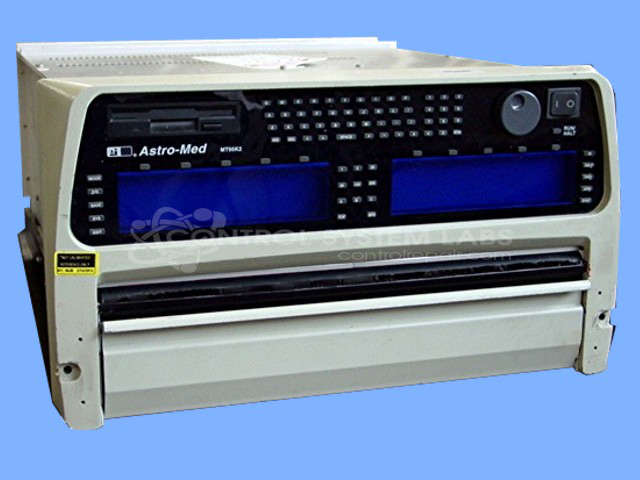
Product Overview: A multi-channel strip chart recorder and data logger supporting 8 to 32 input channels for continuous recording of analog signals in laboratory, test, and industrial monitoring applications. Features a modular board architecture including system controller, display, and I/O boards, floppy drive storage, and a front-panel display with chart paper output.
Category: Chart Recorder / Data Logger
Manufacturer: Astro-Med
Manufacturer Part Number: MT95K2
Requires sending in for repair quote.
Common Failures
Known issues for this unit include display not turning on, chart paper halting unexpectedly, and a non-functional speed button. These symptoms are commonly attributed to power supply irregularities and capacitor degradation on the display boards. Additionally, potential malfunctions in the System Support Board, Utility Board, and System Controller Board can contribute.
Repair Approach
The repair process involves verifying power supply functionality and replacing electrolytic capacitors as needed. Full electrical diagnostics are conducted, checking resistors, zeners, diodes, and transistors to ensure they meet operational specifications. Cross-testing with donor unit components may be employed when necessary to isolate faulty boards.
Testing & Quality
Testing confirms that power supply outputs are stable and that connected circuits function correctly under test conditions. Once the unit is received and reviewed, we can provide a quotation before any repair work begins. Please note that not all units are repairable, and some may be found to be Beyond Economic Repair after evaluation.
Service and repair your broken Astro-Med part
We can repair your Astro-Med model MT95K2 in our facility. Let our skilled technicians get your Astro-Med back in operation quickly.
Step 1 - Click the green 'Repair Now' button above to add the part and then complete the RMA.
Step 2 - The RMA form will be sent to you via email. Print the RMA form and put it in a box with the item(s) for repair.
Step 3 - Ship or mail the box to the address listed on the RMA.
Once the user has seen at least one product this snippet will be visible.