




Repair
Repair Price: $ 484.00
Purchase
CSL Part Number: 485
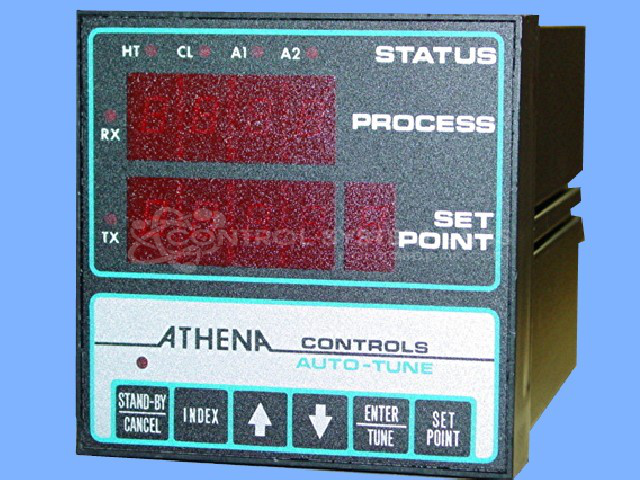
Product Overview: A 1/4 DIN panel-mount temperature controller providing PID-based heating and cooling control for industrial thermal processes and equipment. Features digital display, programmable setpoints and alarms, configurable control parameters, plug-in output modules (including SSR drive), and an RS485 communication interface for remote monitoring and configuration.
Category: Temperature Control
Manufacturer: Athena
Manufacturer Part Number: 6075XX-XX-X-(###)
Series: Series 6075
RS232 & RS485 COM CARDS ARE PRICED AS EXTRA OPTION.
Common Failures
Units submitted for evaluation have experienced issues including lack of power, display malfunctions, and temperature control failures. Symptoms have involved flashing displays, failed resistors, and intermittent power problems. Other issues have included damaged front overlays and out-of-calibration states.
Repair Approach
Repairs have involved bench testing, evaluation of power supplies, PCBs, and solder connections. Resoldering has been performed to address connectivity problems. Components such as power transformers, diodes, resistors, capacitors, and transistors have been replaced to restore functionality. Calibration and burn-in testing are performed to support long-term reliability.
Testing & Quality Assurance
Repaired units are subjected to calibration and burn-in processes to verify operational integrity. These quality control measures confirm that units meet performance standards before return to customers.
Service and repair your broken Athena part
We can repair your Athena model 6075XX-XX-X-(###) in our facility. Let our skilled technicians get your Athena back in operation quickly.
Step 1 - Click the green 'Repair Now' button above to add the part and then complete the RMA.
Step 2 - The RMA form will be sent to you via email. Print the RMA form and put it in a box with the item(s) for repair.
Step 3 - Ship or mail the box to the address listed on the RMA.
Once the user has seen at least one product this snippet will be visible.