



Repair
Call for price
Purchase
CSL Part Number: 116129
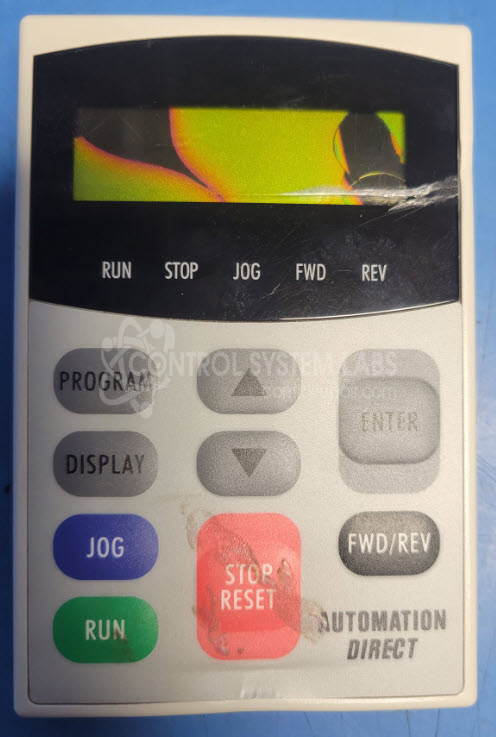
Product Overview: The GS3-KPD is a display and keypad assembly for Automation Direct GS3 DURApulse series AC drives. It provides an interface for programming drive parameters, monitoring motor speed (RPM), and controlling drive operation. The unit features an LCD screen and tactile buttons for parameter adjustment. Communication occurs via RS-485 using MODBUS protocol. Drive parameters are typically stored in the keypad's onboard memory. This product was obsoleted by the manufacturer in 2024. Common applications include industrial motor control systems requiring local operator interface and parameter configuration.
Category: Display With Keypad
Manufacturer: Automation Direct
Manufacturer Synonyms: AutomationDirect
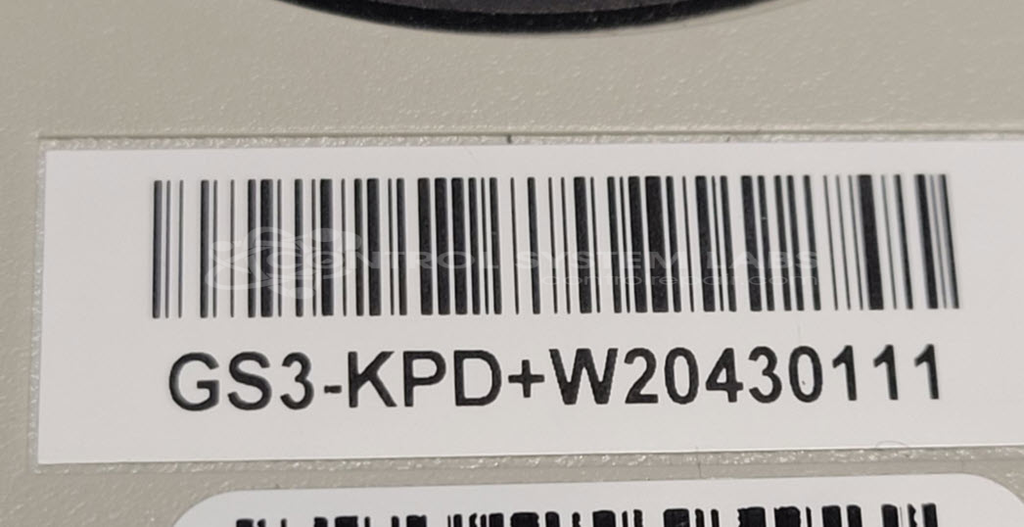
Manufacturer Part Number: GS3-KPD+W20430111
Series: GS3 DURApulse AC Drive
we suggest you back up the data before removing.
Common Failures
Units may power on but experience issues with button functionality, sometimes resulting in RPM appearing stuck at maximum speed. A common finding is a shorted keypad button, often the "Up" button. Related conditions can include front case damage, LCD screen issues, or poor button tactile feedback.
Repair Approach
Our typical repair involves replacing the front case assembly, which includes the keypad and display, while retaining the customer's main board to preserve stored parameters. This approach addresses the button shorting condition and related symptoms.
Testing & Quality
Replacement keypads are ohmmeter tested to confirm functionality. Units are powered on to verify that the screen displays correctly and communicates over RS-485 as expected. Extended communication testing may be limited without additional equipment. Burn-in testing beyond initial power-up is not performed.
Limited Repair
The Automation Direct part number is only available as a limited repair at our facility. Repairs to this item may be limited due to several reasons:
- Availability of parts
- Less than 100% test ability due to required support equipment
To have us attempt a repair on your Automation Direct part follow these steps:
Step 1 -
Click the Repair Now button above to add the part and complete the RMA form.
Step 2 -
Print the RMA form that is sent to your email, and put it in the box with the parts for repair.
Step 3 -
Mail the box to the address on the RMA.
After we receive your item, we will perform an inspection and an authorization to repair will be sent for your approval. Work will begin after your authorization is received.
Once the user has seen at least one product this snippet will be visible.