


B&R Industrial Automation 5C2001.16 Control Computer CAN Bus, Ethernet
Repair
Call for price
Purchase
CSL Part Number: 82736
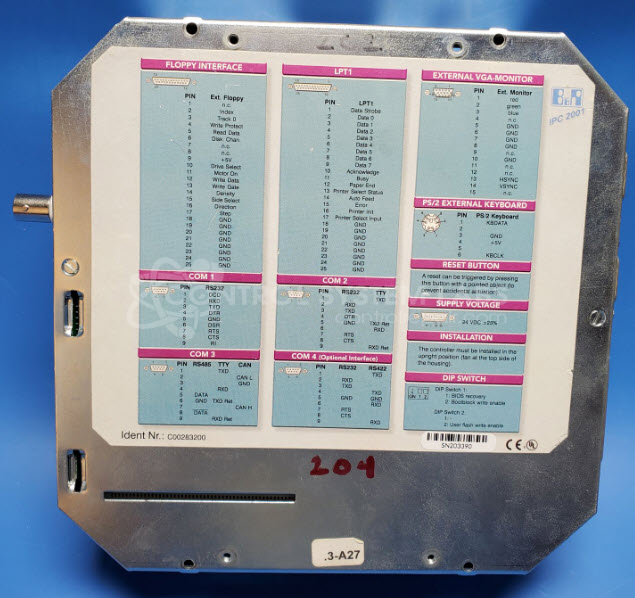
Product Overview: The B&R 5C2001.16 is a Provit 2000 series control computer designed for industrial machine control applications, particularly in Ferromatik injection molding machines. It features CAN Bus and Ethernet communication interfaces, with multiple COM ports including COM3 for PLC communication. The system boots from CompactFlash cards and serves as the primary controller managing machine operations, HMI functions, and communication between the PLC and other automation components.
Category: Computer Items
Manufacturer: B&R Industrial Automation
Manufacturer Synonyms: B & R, B & R Auto, B and R, B & R Automation, BR-Automation
Alternate Manufacturer Names: Ferromatik Milacron
Manufacturer Part Number: 5C2001.16
Series: Provit 2000
Other Synonyms: Ferromatik Milacron
Common Failures
Units may exhibit boot cycle issues, which can be related to communication errors or corrupted Compact Flash (CF) cards. Each unit is evaluated individually to determine the specific cause.
Repair Approach
Our repair process involves evaluation and testing of the unit and its components. We verify communication through relevant ports and examine interface boards as needed. Repair work may include testing and replacement of CF cards or other components identified during evaluation.
Testing & Quality
Units are tested to verify functionality, including boot cycles and communication across necessary interfaces. In cases where issues are not replicable in our facility, we may request additional components such as the power supply or storage media to complete testing. Once repairs are complete, all components and documentation are returned to the customer.
Service and repair your broken B&R Industrial Automation part
We can repair your B&R Industrial Automation model 5C2001.16 in our facility. Let our skilled technicians get your B&R Industrial Automation back in operation quickly.
Step 1 - Click the green 'Repair Now' button above to add the part and then complete the RMA.
Step 2 - The RMA form will be sent to you via email. Print the RMA form and put it in a box with the item(s) for repair.
Step 3 - Ship or mail the box to the address listed on the RMA.
Once the user has seen at least one product this snippet will be visible.