


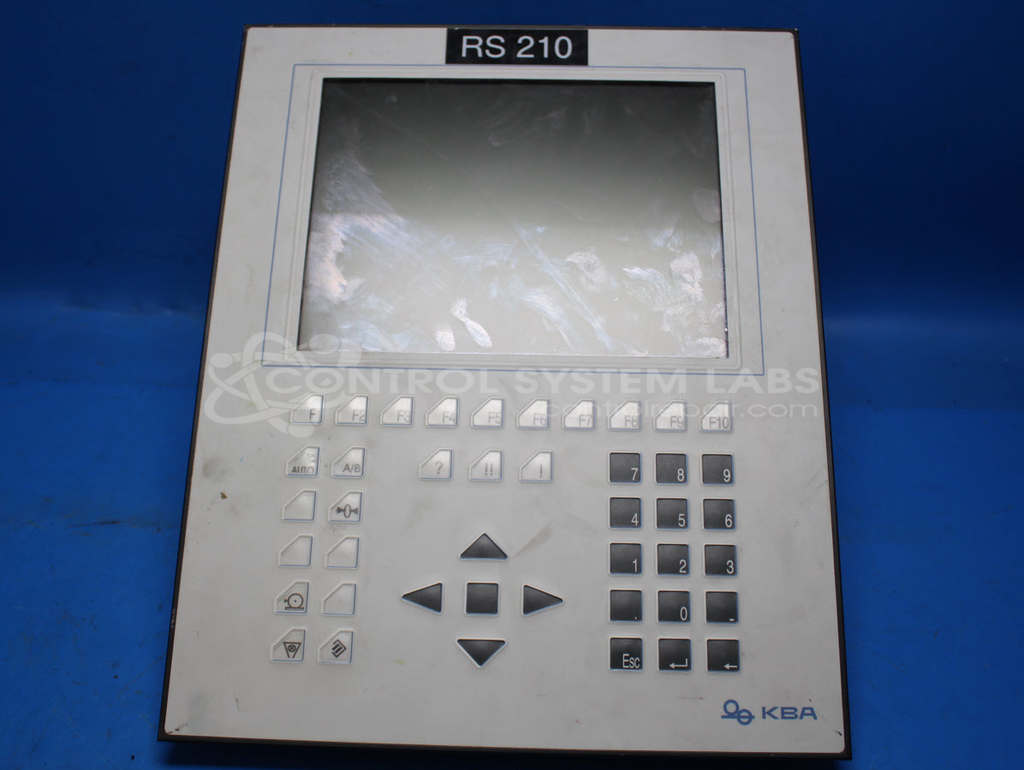


Repair
Repair Price: $ 3,840.00
Purchase
CSL Part Number: 88040
Product Overview: An industrial operator workstation combining an integrated HMI display panel with an embedded industrial PC. It provides machine control, monitoring, and data entry on the factory floor, supporting custom applications. Features a backlit display, integrated keypad, memory module, battery-backed configuration, and chassis cooling fans.
Category: Operator / Monitor Workstation
Manufacturer: B&R Industrial Automation
Manufacturer Synonyms: B & R, B & R Auto, B and R, B & R Automation, BR-Automation
Manufacturer Part Number: 5D5500.06 with 5C5001.11
Common Failures
Common issues with this product include non-functioning displays, backlight failures, and thermal management concerns. Customers have also reported problems with dim displays and display-related faults. Another known issue involves cooling system components.
Repair Approach
Repairs may involve replacing backlight components and cooling system parts to address reported failures. In some cases, batteries and other components may be replaced as needed. During the repair process, technicians may also clean contacts on components such as memory modules to ensure proper operation.
Testing & Quality
After repairs, units are tested to confirm functionality. This includes checking the display and keypad operation. Quality control measures are in place to verify that repaired units meet performance standards before being returned to customers.
Repair your broken B&R Industrial Automation part
We can repair your B&R Industrial Automation model 5D5500.06 with 5C5001.11 .
Please note: our repair turnaround time may be longer than our standard lead times for this item.
Step 1 -
Click the green button above, "Repair Now," and add to your RMA.
Step 2 -
Print the RMA form that is emailed to you, and put it in a box with the parts for repair.
Step 3 -
Mail the box to the address on the RMA.
You will be sent an authorization for repair via email. Your approval is needed before any work is started.
Once the user has seen at least one product this snippet will be visible.