




Repair
Repair Price: $ 1,180.00
Purchase
CSL Part Number: 27636
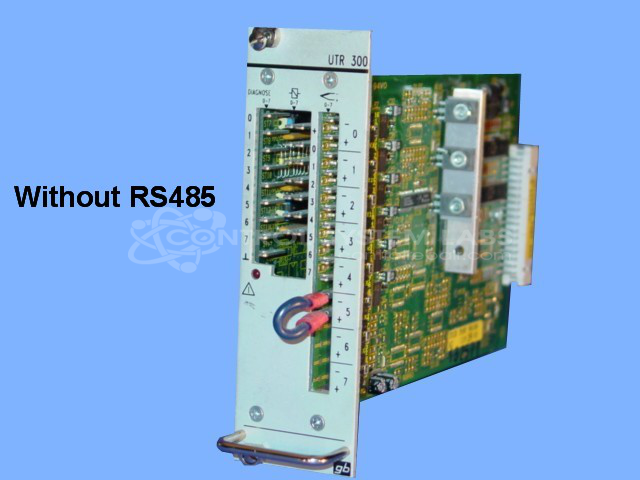
Product Overview: A 16-zone temperature control card used in industrial plastics and injection molding machinery to regulate heater zones. It monitors temperature inputs and drives output stages to maintain setpoints across multiple zones, with configurations available with or without RS485 serial communication.
Category: Temperature Control
Manufacturer: Bachmann
Alternate Manufacturer Names: BATTENFELD, URBAN
Manufacturer Part Number: UTR300
Other Synonyms: BATTENFELD, URBAN
Common Failures
This product has experienced a range of issues including shorted outputs leading to component failure, burnt integrated circuits (ICs), damaged printed circuit boards (PCBs), and power supply problems. Other reported issues include digital activity failures and board damage indicators.
Repair Approach
Repairs have involved replacing damaged components such as resistors, capacitors, ICs, and transistors. In certain cases, burnt spots on the PCB have been repaired and cleaned. We have developed procedures to test output sections following repair work.
Testing & Quality
Components are tested during the repair process. Some digital circuits may require additional testing equipment. When in-house repair is not viable, units may be sent to third-party repair centers for evaluation. Please note that not all units can be economically repaired depending on the extent of damage and parts availability.
Service and repair your broken Bachmann part
We can repair your Bachmann model UTR300 in our facility. Let our skilled technicians get your Bachmann back in operation quickly.
Step 1 - Click the green 'Repair Now' button above to add the part and then complete the RMA.
Step 2 - The RMA form will be sent to you via email. Print the RMA form and put it in a box with the item(s) for repair.
Step 3 - Ship or mail the box to the address listed on the RMA.
Once the user has seen at least one product this snippet will be visible.