



Repair
Call for price
Purchase
CSL Part Number: 72770
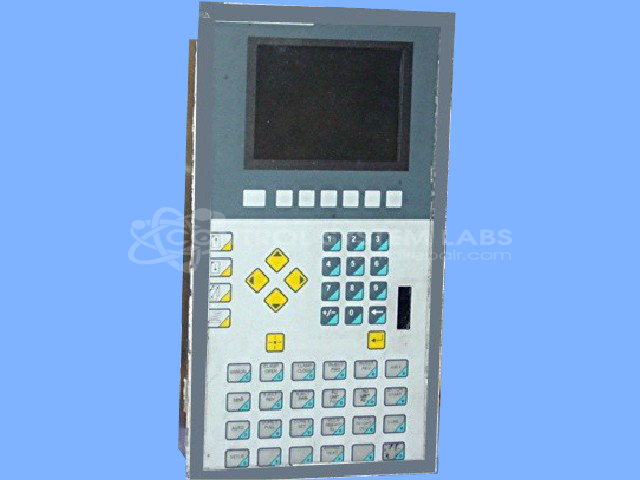
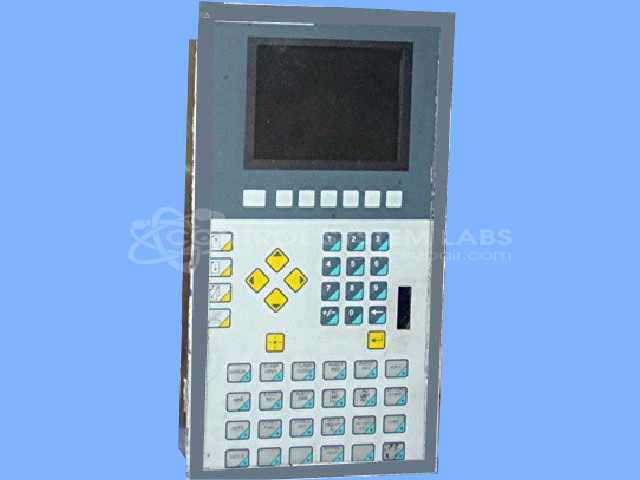
Product Overview: The Maco Lite Operator Panel is a human-machine interface (HMI) used for controlling and monitoring industrial automation systems. This Barber-Colman 41VC series panel features an LCD display and membrane keypad for parameter entry and system interaction. It typically interfaces with MACO series controllers in HVAC, building automation, and process control applications. The unit includes a memory cartridge for program storage and configuration data. Replacement keypads are no longer available from the manufacturer, requiring custom repair solutions for failed membrane switches or overlays.
Category: Barber Colman MACO Controls
Manufacturer: Barber-Colman
Manufacturer Synonyms: Barber Coleman, Barbercolman, Invensys
Manufacturer Part Number: 41VC-36101-407-5-A0
Series: MACO
Brand: Barber-Colman
Common Failures
Common issues with this product include a faint or intermittently functioning display, inoperative buttons, and a white screen display. These issues are often related to defective components such as connectors, tactile switches, and cable connections.
Repair Approach
Repairs typically involve replacing defective components, such as connectors and buttons, and addressing any issues from previous repair attempts. For button issues, snap domes may be replaced, and the overlay can often be reused to minimize costs. When the display cable is found disconnected, it is reconnected and secured to prevent further issues.
Testing & Quality
Post-repair testing includes burn-in tests and power-on tests to verify functionality. Repairs are subject to further verification before completion. The product's functionality is thoroughly tested to uphold quality standards.
Service and repair your broken Barber-Colman part
We can repair your Barber-Colman model 41VC-36101-407-5-A0 in our facility. Let our skilled technicians get your Barber-Colman back in operation quickly.
Step 1 - Click the green 'Repair Now' button above to add the part and then complete the RMA.
Step 2 - The RMA form will be sent to you via email. Print the RMA form and put it in a box with the item(s) for repair.
Step 3 - Ship or mail the box to the address listed on the RMA.
Once the user has seen at least one product this snippet will be visible.