




Repair
Repair Price: $ 392.00
Purchase
CSL Part Number: 31188
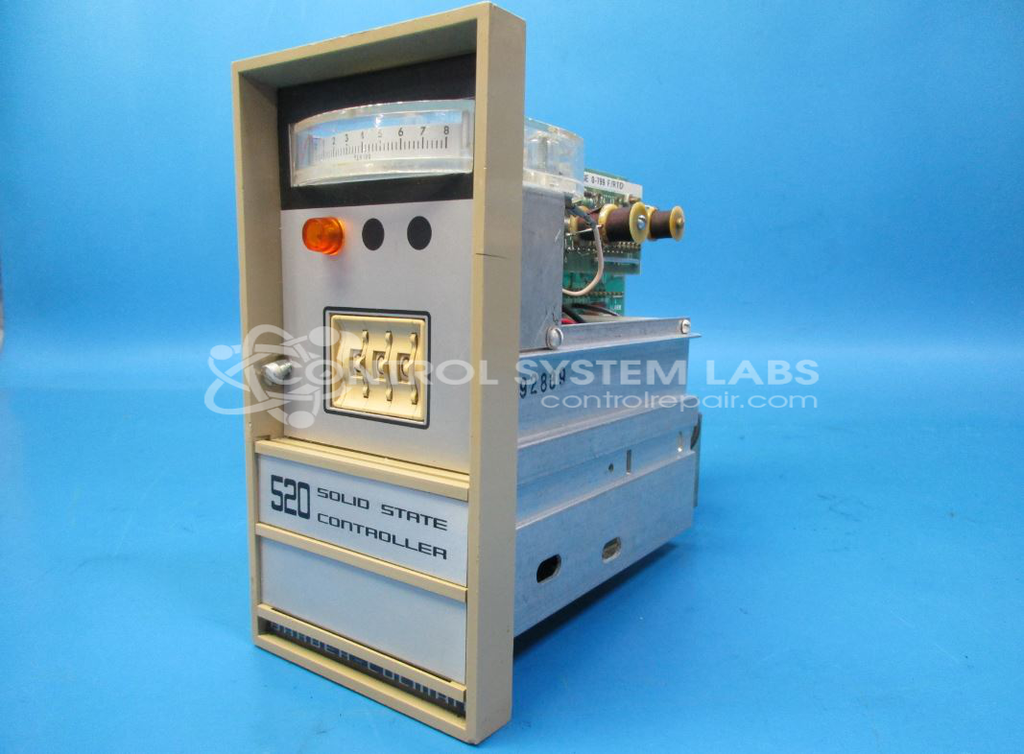
Product Overview: A proportional temperature controller with a digital setpoint, regulating process temperature across a 0-800°F range using thermocouple input. It provides a time-proportioning output adjustable from 6-60 seconds (field-changeable to 0.6-6 seconds), rated 10A inrush, 1A continuous, 24-240 Vac. Used in industrial process and paper machine heating applications.
Category: Temperature Control
Manufacturer: Barber-Colman
Manufacturer Synonyms: Barber Coleman, Barbercolman, Invensys
Manufacturer Part Number: 522B-13644-010-0-10
Series: 520 Series Digital Setpoint Controller
Brand: Barber-Colman
```html
Common Failures
Users frequently report calibration issues, where units are not achieving the expected temperature levels. Other common symptoms include broken knobs, defective capacitors, and intermittent connectivity, causing the devices to require manual adjustment to function properly.
Repair Approach
The repair process generally involves replacing faulty components such as capacitors and temperature knobs. Technicians then perform thorough cleaning, resoldering of connections, and recalibration to restore unit functionality.
Testing & Quality
Following repairs, each unit undergoes comprehensive calibration verification. This includes checking DC power levels and performing overnight burn-in tests to ensure stable and reliable operation.
```Service and repair your broken Barber-Colman part
We can repair your Barber-Colman model 522B-13644-010-0-10 in our facility. Let our skilled technicians get your Barber-Colman back in operation quickly.
Step 1 - Click the green 'Repair Now' button above to add the part and then complete the RMA.
Step 2 - The RMA form will be sent to you via email. Print the RMA form and put it in a box with the item(s) for repair.
Step 3 - Ship or mail the box to the address listed on the RMA.
Once the user has seen at least one product this snippet will be visible.