


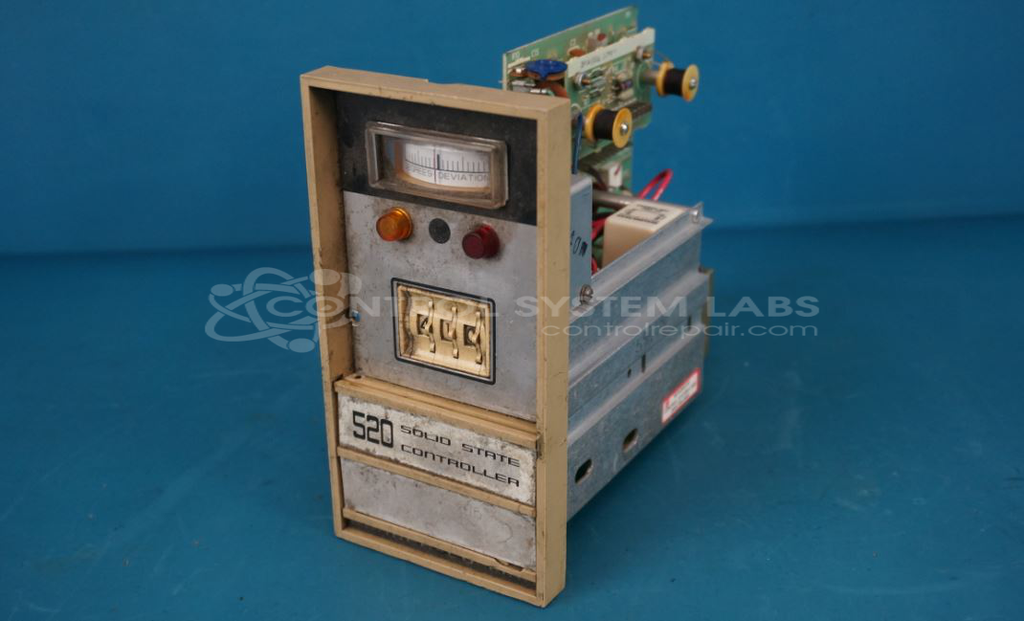
Barber-Colman 522B-40016-010-1-00 Single Smart Speed Switching Output Controller, Analog Set and Read


Repair
Repair Price: $ 392.00
Purchase
CSL Part Number: 30160
Category: Temperature Control
Manufacturer: Barber-Colman
Manufacturer Synonyms: Barber Coleman, Barbercolman, Invensys
Manufacturer Part Number: 522B-40016-010-1-00
Series: 520 Series Digital Setpoint Controller
Brand: Barber-Colman
Common Failures
Frequent issues with this product include broken traces, cold solder joints, defective or outdated capacitors, and control problems leading to a lack of heat regulation. Door-related issues, such as doors being broken or missing, and malfunctioning setpoint switches have also been reported.
Repair Approach
The typical repair process involves replacing faulty components such as capacitors, fuses, and doors. Solder joints are inspected and cleaned as necessary. Calibration is integral to restoring proper function, often involving adjustments to the temperature deviation meter and power supply checks. Setpoint thumbwheels are cleaned and tightened if needed.
Testing & Quality
After repairs, the unit undergoes extensive testing to ensure operational integrity. This includes verifying temperature range, output functionality, and calibration accuracy. A burn-in process, ranging from overnight to 96 hours, is conducted to verify reliability before the unit is returned.
Service and repair your broken Barber-Colman part
We can repair your Barber-Colman model 522B-40016-010-1-00 in our facility. Let our skilled technicians get your Barber-Colman back in operation quickly.
Step 1 - Click the green 'Repair Now' button above to add the part and then complete the RMA.
Step 2 - The RMA form will be sent to you via email. Print the RMA form and put it in a box with the item(s) for repair.
Step 3 - Ship or mail the box to the address listed on the RMA.
Once the user has seen at least one product this snippet will be visible.