




Repair
Repair Price: $ 368.00
Purchase
CSL Part Number: 30192
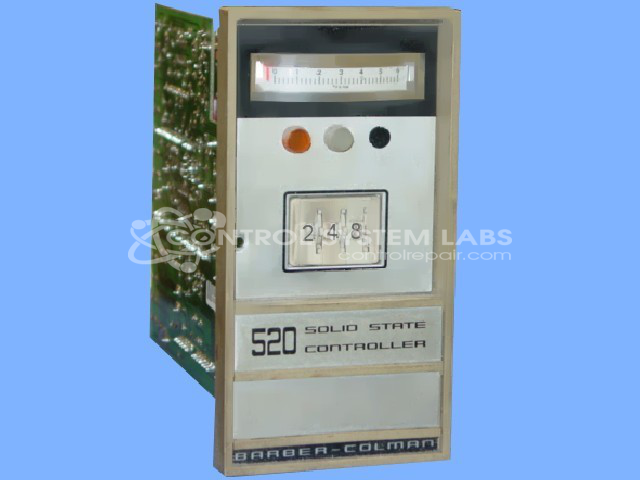
Product Overview: A PID temperature controller featuring digital setpoint entry with analog deviation metering for closed-loop process regulation. Designed for industrial thermal applications such as paper manufacturing, it accepts thermocouple input and mounts on a dual 15VDC, 100W power supply base providing regulated supply voltages.
Category: Temperature Control
Manufacturer: Barber-Colman
Manufacturer Synonyms: Barber Coleman, Barbercolman, Invensys
Manufacturer Part Number: 524H-40015-011-0-C6
Series: 520 Series Digital Setpoint Controller
Brand: Barber-Colman
Proportional + Integral + Derivative (PID) Controller
Common Failures
This product has experienced issues such as intermittent operation, indicator drift, and mechanical zero deviation in the meter display.
Repair Approach
Repairs may involve resoldering board contacts, replacing capacitors, and performing calibrations and adjustments as needed. Specific actions can include cleaning control components, adjusting meter zero, and replacing contacts to restore reliable operation.
Testing & Quality
After repairs, units are subjected to burn-in testing and calibration to verify stability and performance. Certificates of calibration are provided to document the adjustments made.
Service and repair your broken Barber-Colman part
We can repair your Barber-Colman model 524H-40015-011-0-C6 in our facility. Let our skilled technicians get your Barber-Colman back in operation quickly.
Step 1 - Click the green 'Repair Now' button above to add the part and then complete the RMA.
Step 2 - The RMA form will be sent to you via email. Print the RMA form and put it in a box with the item(s) for repair.
Step 3 - Ship or mail the box to the address listed on the RMA.
Once the user has seen at least one product this snippet will be visible.