


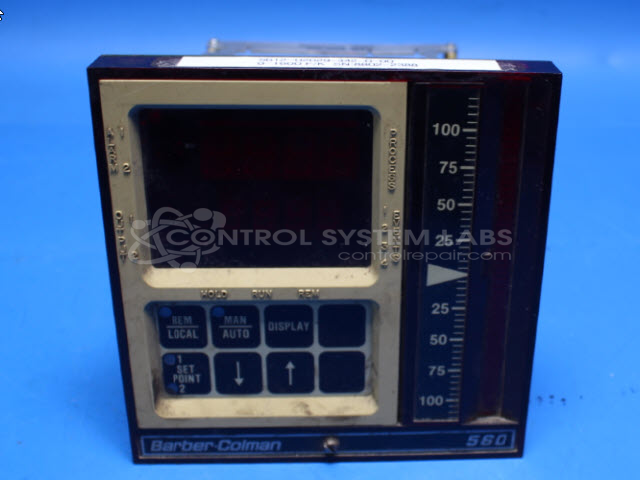


Repair
Repair Price: $ 712.00
Purchase
CSL Part Number: 84719
Product Overview: A digital temperature controller providing closed-loop process regulation over a 0-1600°F range using type K thermocouple input. Featuring a digital display and programmable setpoints, it is commonly used in industrial heating and paper processing equipment for precise temperature monitoring and control.
Category: Temperature Control
Manufacturer: Barber-Colman
Manufacturer Synonyms: Barber Coleman, Barbercolman, Invensys
Manufacturer Part Number: 5612-02029-342-0-00
Series: 560 Series Digital Controller
Brand: Barber-Colman
Search for repair pricing using the correct model number.
Common Failures
A frequently reported issue is the display not functioning, often due to damage from external factors such as exposure to molten metal. This damage typically affects certain components critical to the display's operation.
Repair Approach
The repair process typically involves removing the damaged components, cleaning the circuit board, replacing the components, and reprogramming the system's memory. Upon completion of these steps, the unit is calibrated to ensure accuracy.
Testing & Quality
Each repaired unit undergoes a testing process, including verification of temperature points at specified intervals. A comprehensive test lasting two hours is conducted to confirm the repair and the unit's performance.
Service and repair your broken Barber-Colman part
We can repair your Barber-Colman model 5612-02029-342-0-00 in our facility. Let our skilled technicians get your Barber-Colman back in operation quickly.
Step 1 - Click the green 'Repair Now' button above to add the part and then complete the RMA.
Step 2 - The RMA form will be sent to you via email. Print the RMA form and put it in a box with the item(s) for repair.
Step 3 - Ship or mail the box to the address listed on the RMA.
Once the user has seen at least one product this snippet will be visible.