


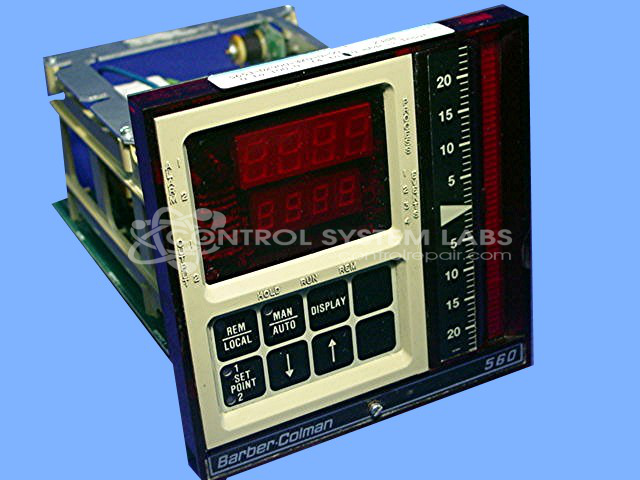


Repair
Repair Price: $ 712.00
Purchase
CSL Part Number: 19277
Product Overview: A microprocessor-based digital temperature controller used in industrial process applications such as paper manufacturing. It provides configurable setpoint control with programmable range codes, current output (approximately 4-20 mA), and supports thermocouple inputs like Ni/Ni-Mo across wide temperature ranges.
Category: Temperature Control
Manufacturer: Barber-Colman
Manufacturer Synonyms: Barber Coleman, Barbercolman, Invensys
Manufacturer Part Number: 5643-04256-340-0-00
Series: 560 Series Digital Controller
Brand: Barber-Colman
Common Failures
Common issues experienced with this product include lost configuration parameters, component wear, and calibration errors. Symptoms have included high temperature readings, flashing display windows, and incorrect current outputs.
Repair Approach
Repairs often involve resoldering connections, cleaning internal components, and replacing worn components. Recalibration is performed to ensure correct operation following component replacement. Specific issues such as the flashing display have been resolved by replacing the associated components and recalibrating parameters.
Testing & Quality
Post-repair, the units undergo thorough testing, including calibration to operational specifications and extended burn-in tests. This process verifies that the product operates reliably within the stated parameters.
Service and repair your broken Barber-Colman part
We can repair your Barber-Colman model 5643-04256-340-0-00 in our facility. Let our skilled technicians get your Barber-Colman back in operation quickly.
Step 1 - Click the green 'Repair Now' button above to add the part and then complete the RMA.
Step 2 - The RMA form will be sent to you via email. Print the RMA form and put it in a box with the item(s) for repair.
Step 3 - Ship or mail the box to the address listed on the RMA.
Once the user has seen at least one product this snippet will be visible.