


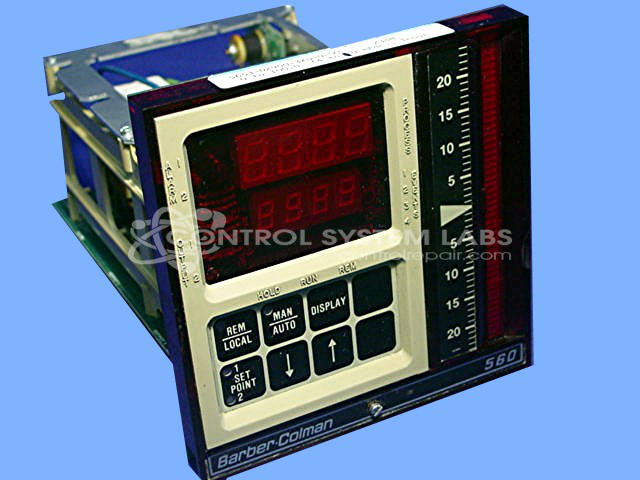


Repair
Repair Price: $ 712.00
Purchase
CSL Part Number: 35214
Category: Temperature Control
Manufacturer: Barber-Colman
Manufacturer Synonyms: Barber Coleman, Barbercolman, Invensys
Manufacturer Part Number: 5646-62016-320-0-00
Series: 560 Series Digital Controller
Brand: Barber-Colman
Common Failures
Several common symptoms were noted in the repair history of this product, including "E1" display errors, dim or erratic LED displays, and unstable or erratic temperature readings. These issues were often traced back to defective or outdated capacitors and cold solder joints. Additionally, some units experienced issues with their output or actuator functions not working as expected.
Repair Approach
The repair process typically included cleaning and inspecting the unit, replacing faulty electrolytic capacitors, resoldering joints, and reloading necessary software configurations. These steps were followed to address specific symptoms such as dim displays or temperature instability. Various tests verified successful repairs, including calibration of the temperature range and functional tests of the output and actuator operations.
Testing & Quality
Each unit underwent testing after repairs, including calibration tests for temperature accuracy (0-800 degrees Fahrenheit) and verification of input and output functionality. A burn-in testing period was applied, ranging from 1 hour to 96 hours, to confirm reliable operation before final approval. These measures helped ensure the units met operational standards before being returned to stock or resold.
Service and repair your broken Barber-Colman part
We can repair your Barber-Colman model 5646-62016-320-0-00 in our facility. Let our skilled technicians get your Barber-Colman back in operation quickly.
Step 1 - Click the green 'Repair Now' button above to add the part and then complete the RMA.
Step 2 - The RMA form will be sent to you via email. Print the RMA form and put it in a box with the item(s) for repair.
Step 3 - Ship or mail the box to the address listed on the RMA.
Once the user has seen at least one product this snippet will be visible.