


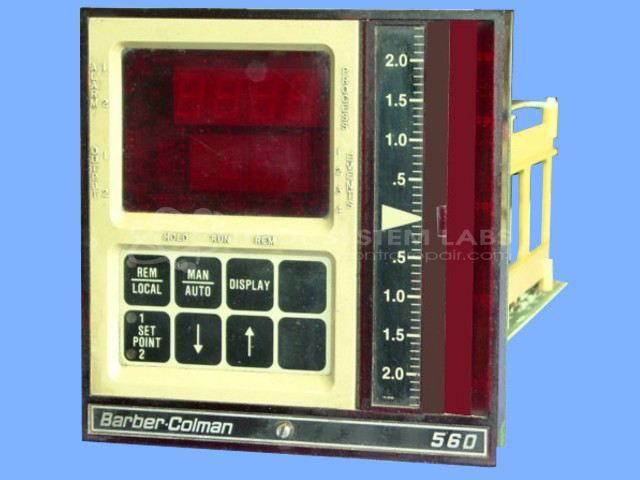


Repair
Repair Price: $ 712.00
Purchase
CSL Part Number: 26871
Product Overview: A microprocessor-based digital temperature controller used in industrial process control, commonly in paper and packaging equipment. It accepts 4-20mA input, provides a scaled process display, and delivers a 4-20mA current output for regulating temperature against a programmable setpoint.
Category: Temperature Control
Manufacturer: Barber-Colman
Manufacturer Synonyms: Barber Coleman, Barbercolman, Invensys
Manufacturer Part Number: 5653-02900-320-0-00
Series: 560 Series Digital Controller
Brand: Barber-Colman
Common Failures
Frequent issues reported for this product include an "E1" error upon power-up, process readout errors, and low or unstable output. These issues often involve power-related faults, memory issues, or capacitor-related concerns. In some instances, no display is observed, or the control locks up during operation.
Repair Approach
Our repair process typically involves inspection and testing of the DC power supply, memory reload when applicable, and recalibration of the unit. Capacitor replacement may be performed when output is unstable or display problems are present. Soldering work is performed as needed to address loose or corroded connections.
Testing & Quality
Following repairs, units undergo testing to verify functionality. This may include burn-in processes ranging from 2 hours to overnight to evaluate stability and performance. Calibration certificates are provided post-repair when applicable to confirm accuracy.
Service and repair your broken Barber-Colman part
We can repair your Barber-Colman model 5653-02900-320-0-00 in our facility. Let our skilled technicians get your Barber-Colman back in operation quickly.
Step 1 - Click the green 'Repair Now' button above to add the part and then complete the RMA.
Step 2 - The RMA form will be sent to you via email. Print the RMA form and put it in a box with the item(s) for repair.
Step 3 - Ship or mail the box to the address listed on the RMA.
Once the user has seen at least one product this snippet will be visible.