


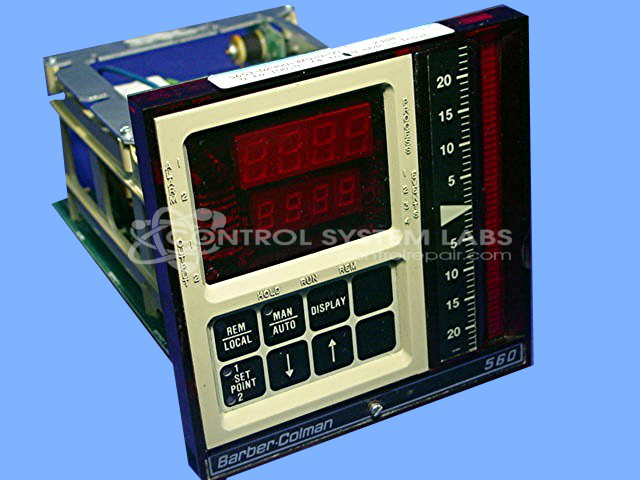


Repair
Repair Price: $ 712.00
Purchase
CSL Part Number: 21704
Product Overview: A microprocessor-based single-loop digital temperature and process controller used in industrial applications such as paper machinery. It accepts analog input signals, typically 4-20 mA scaled to a 0-1000 display range, and provides PID control with adjustable proportional band, reset, and rate parameters plus a corresponding output signal.
Category: Temperature Control
Manufacturer: Barber-Colman
Manufacturer Synonyms: Barber Coleman, Barbercolman, Invensys
Manufacturer Part Number: 5653-02922-320-0-00
Series: 560 Series Digital Controller
Brand: Barber-Colman
Common Failures
The most frequent issues reported include defective capacitors, E1 errors upon startup, and display symptoms. Other problems noted were incorrect input/output readings and components becoming disconnected or out of place.
Repair Approach
Repairs often involved replacing faulty capacitors, relocating displaced pins, resoldering connections, and cleaning components. Memory was frequently reloaded and recalibration performed.
Testing & Quality
Post-repair, units underwent testing including burn-in procedures ranging from 2 hours to overnight. Calibration checks confirmed proper input and output levels, often ensuring 4-20 mA signals corresponded correctly to display values.
Service and repair your broken Barber-Colman part
We can repair your Barber-Colman model 5653-02922-320-0-00 in our facility. Let our skilled technicians get your Barber-Colman back in operation quickly.
Step 1 - Click the green 'Repair Now' button above to add the part and then complete the RMA.
Step 2 - The RMA form will be sent to you via email. Print the RMA form and put it in a box with the item(s) for repair.
Step 3 - Ship or mail the box to the address listed on the RMA.
Once the user has seen at least one product this snippet will be visible.