




Repair
Repair Price: $ 712.00
Purchase
CSL Part Number: 35415
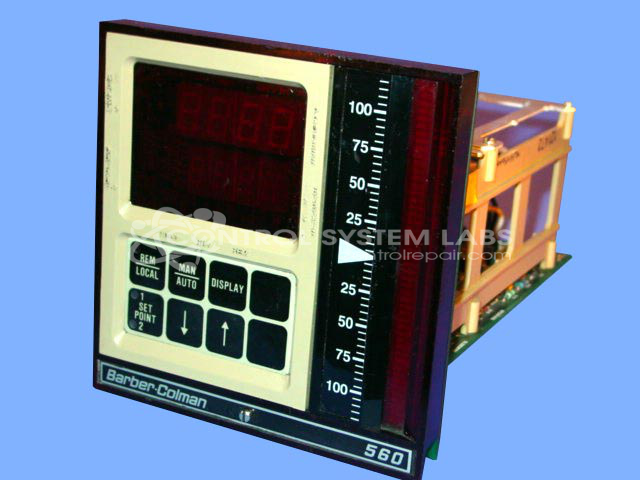
Product Overview: A microprocessor-based digital temperature controller with dual LED readouts for setpoint and process display. Accepts thermocouple inputs (configurable, including R type 0-3000°F) and drives actuators for closed-loop temperature regulation in industrial process equipment such as paper manufacturing lines and ovens.
Category: Temperature Control
Manufacturer: Barber-Colman
Manufacturer Synonyms: Barber Coleman, Barbercolman, Invensys
Manufacturer Part Number: 5656-62038-340-0-00
Series: 560 Series Digital Controller
Brand: Barber-Colman
Common Failures
Common issues observed with this product include low temperature readings, display errors such as "E-1" on the LED readout, and dirt accumulation on capacitors and display lenses. These issues are frequently associated with capacitor-related concerns that can impact power regulation and signal accuracy.
Repair Approach
Repairs typically involve cleaning the control mechanisms, inspecting and replacing capacitors as needed, such as 470uf, 1000uf, 2200uf, and 330uf varieties. Additionally, repairs may include correcting solder connections, reloading memory, and cleaning the front panel display lens. In some cases, other components such as transistors may also be replaced.
Testing & Quality
Devices are calibrated following repair, with testing conducted across a range of 0-3000 degrees Fahrenheit. Extended burn-in tests lasting from 24 to 48 hours are performed to verify that repaired units meet operational standards before return.
Service and repair your broken Barber-Colman part
We can repair your Barber-Colman model 5656-62038-340-0-00 in our facility. Let our skilled technicians get your Barber-Colman back in operation quickly.
Step 1 - Click the green 'Repair Now' button above to add the part and then complete the RMA.
Step 2 - The RMA form will be sent to you via email. Print the RMA form and put it in a box with the item(s) for repair.
Step 3 - Ship or mail the box to the address listed on the RMA.
Once the user has seen at least one product this snippet will be visible.