


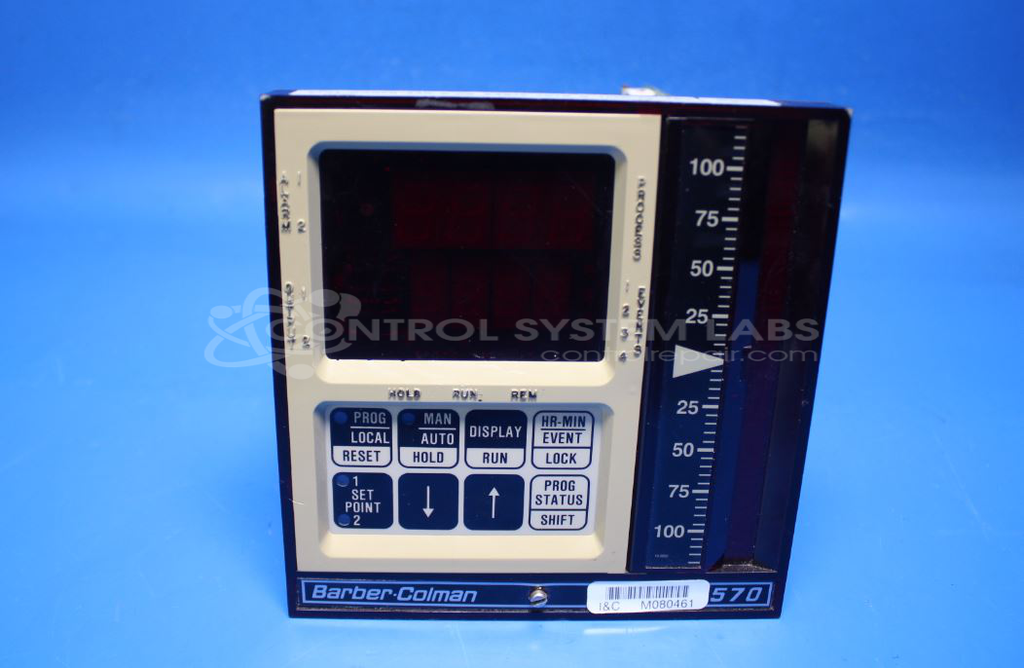


Repair
Repair Price: $ 696.00
Purchase
CSL Part Number: 85702
Product Overview: A digital temperature controller used in industrial process heating applications such as paper manufacturing and heated platen systems. It regulates temperature via thermocouple input, supports configurable scaling in degrees C or F, and drives heating elements with programmable setpoints and a digital display.
Category: Temperature Control
Manufacturer: Barber-Colman
Manufacturer Synonyms: Barber Coleman, Barbercolman, Invensys
Manufacturer Part Number: 5751-0A050-440-6-00
Series: 570 Series Temperature Control
Brand: Barber-Colman
Models starting wtih 571x- 574x- 575x- are covered by this code. We can also convert your 570 to cover a different range and use a different thermocouple type. Contact us.
Common Failures
Common issues reported for this temperature controller include wiring faults that may result in error codes and display errors such as "E1." Additionally, some units have been received with failed capacitors affecting display function.
Repair Approach
Repair approaches have included component replacement and cleaning. In some cases, recalibration or reprogramming to specific customer requirements may present challenges. Units requiring programming outside CSL's standard capabilities may be returned unrepaired, with the customer notified of available options.
Testing & Quality
Reported symptoms are verified during evaluation and testing. Efforts are made to restore unit functionality through component replacement and recalibration where feasible. When repair is not possible due to technical limitations, the customer is contacted to discuss return or recycling options.
Service and repair your broken Barber-Colman part
We can repair your Barber-Colman model 5751-0A050-440-6-00 in our facility. Let our skilled technicians get your Barber-Colman back in operation quickly.
Step 1 - Click the green 'Repair Now' button above to add the part and then complete the RMA.
Step 2 - The RMA form will be sent to you via email. Print the RMA form and put it in a box with the item(s) for repair.
Step 3 - Ship or mail the box to the address listed on the RMA.
Once the user has seen at least one product this snippet will be visible.