




Repair
Repair Price: $ 392.00
Purchase
CSL Part Number: 35346
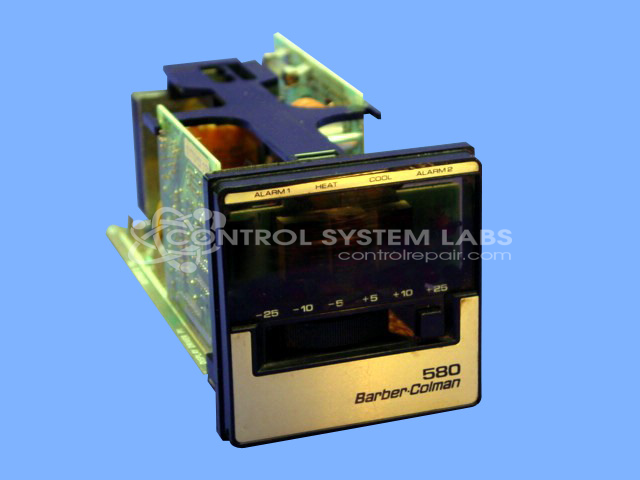
Product Overview: A 1/4 DIN panel-mount digital temperature controller that regulates process temperature in industrial heating equipment. It accepts thermocouple input (commonly J-type), supports adjustable setpoint control, and provides relay output for applications such as rubber and paper processing machinery.
Category: Temperature Control
Manufacturer: Barber-Colman
Manufacturer Synonyms: Barber Coleman, Barbercolman, Invensys
Manufacturer Part Number: 585A-00016-000-0-00
Series: 580 Series Temperature Controller
Brand: Barber-Colman
Common Failures
This product may experience issues including erratic temperature readings, filter capacitor degradation, and setpoint potentiometer wear. These conditions can result in incorrect temperature display or difficulty maintaining the set temperature. Some units have exhibited blown fuses or loss of output.
Repair Approach
Repairs typically involve component replacement such as filter capacitors and the setpoint potentiometer. Additional work may include connection rework, calibration adjustment, and cleaning of control and relay contacts as needed. Our goal is to restore the unit to serviceable condition.
Testing & Quality
Following repair, the unit is tested and calibrated to verify functionality. Extended run-time testing may be performed to confirm operation within acceptable parameters before the unit is prepared for return.
Service and repair your broken Barber-Colman part
We can repair your Barber-Colman model 585A-00016-000-0-00 in our facility. Let our skilled technicians get your Barber-Colman back in operation quickly.
Step 1 - Click the green 'Repair Now' button above to add the part and then complete the RMA.
Step 2 - The RMA form will be sent to you via email. Print the RMA form and put it in a box with the item(s) for repair.
Step 3 - Ship or mail the box to the address listed on the RMA.
Once the user has seen at least one product this snippet will be visible.