




Repair
Call for price
Purchase
CSL Part Number: 30576
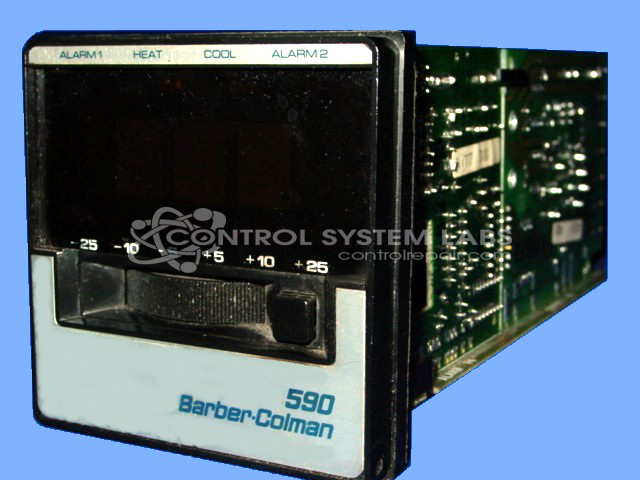
Product Overview: An analog temperature controller providing closed-loop control using a Type J thermocouple input with a range of 32 to 999 degrees Fahrenheit. It features dual time-proportioning triac outputs for driving heating elements. Commonly used in paper processing and industrial thermal equipment.
Category: Temperature Control
Manufacturer: Barber-Colman
Manufacturer Synonyms: Barber Coleman, Barbercolman, Invensys
Manufacturer Part Number: 595A-00017-100-4-01
Series: 590 Series Temperature Control
Brand: Barber-Colman
32-999 Degrees F Type J Thermocouple
Common Failures
Common reported issues include temperature readout concerns, which may be intermittent or fluctuating. There are also instances where the unit does not properly seat in its socket, affecting operation.
Repair Approach
The repair process may involve replacing specific capacitors and other components that impact performance. Calibration and thorough testing follow component replacement. Any physical obstructions, such as incorrectly mounted posts, are addressed to ensure proper seating of the unit.
Testing & Quality
Repairs include solder joint inspection, followed by burn-in tests to verify stability and accuracy. Calibration is checked to confirm proper functionality before units are returned.
Service and repair your broken Barber-Colman part
We can repair your Barber-Colman model 595A-00017-100-4-01 in our facility. Let our skilled technicians get your Barber-Colman back in operation quickly.
Step 1 - Click the green 'Repair Now' button above to add the part and then complete the RMA.
Step 2 - The RMA form will be sent to you via email. Print the RMA form and put it in a box with the item(s) for repair.
Step 3 - Ship or mail the box to the address listed on the RMA.
Once the user has seen at least one product this snippet will be visible.