



Repair
Repair Price: $ 1,432.00
Purchase
CSL Part Number: 51804
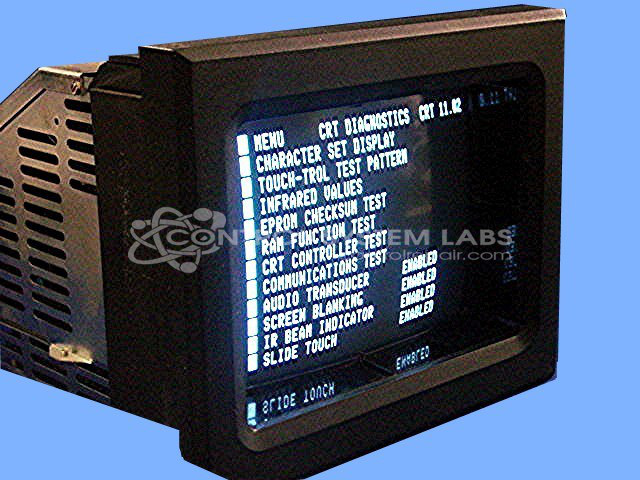
Product Overview: A monochrome operator station with an integrated touchscreen interface, serving as the human-machine interface for injection molding control systems. It allows operators to monitor process parameters, adjust settings, and manage machine operation on plastics injection molding equipment.
Category: Barber Colman MACO Controls
Manufacturer: Barber-Colman
Manufacturer Synonyms: Barber Coleman, Barbercolman, Invensys
Manufacturer Part Number: 80AA-10011-000-0-00
Series: MACO 8000 Injection Molding Controls
Brand: Barber-Colman
Price is for a normal repair. Contact us for bezel repair or replacement.
Common Failures
One common issue reported for this product is a blank screen. This problem may be caused by a blown fuse, a shorted bridge rectifier, or faulty capacitors. These components can fail and lead to the described symptoms.
Repair Approach
The repair process typically involves replacing the blown fuse, the shorted bridge rectifier, and several capacitors to address the immediate cause of the failure. Additional capacitors may be replaced as a precautionary measure. Repair work may also include mending any damaged traces and eyelets on the controller board to ensure all connections are restored to proper functioning.
Testing & Quality
After repairs, the unit undergoes thorough overnight testing to verify the effectiveness of the repair work. This burn-in process helps ensure that the device is fully operational before returning it to the customer.
Service and repair your broken Barber-Colman part
We can repair your Barber-Colman model 80AA-10011-000-0-00 in our facility. Let our skilled technicians get your Barber-Colman back in operation quickly.
Step 1 - Click the green 'Repair Now' button above to add the part and then complete the RMA.
Step 2 - The RMA form will be sent to you via email. Print the RMA form and put it in a box with the item(s) for repair.
Step 3 - Ship or mail the box to the address listed on the RMA.
Once the user has seen at least one product this snippet will be visible.