



Repair
Repair Price: $ 1,432.00
Purchase
CSL Part Number: 20719
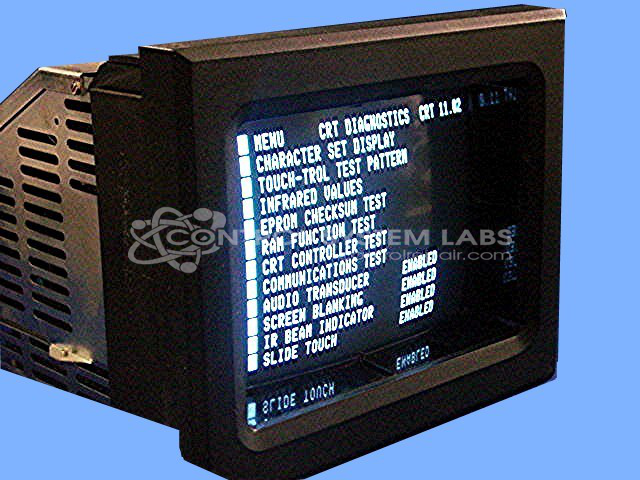
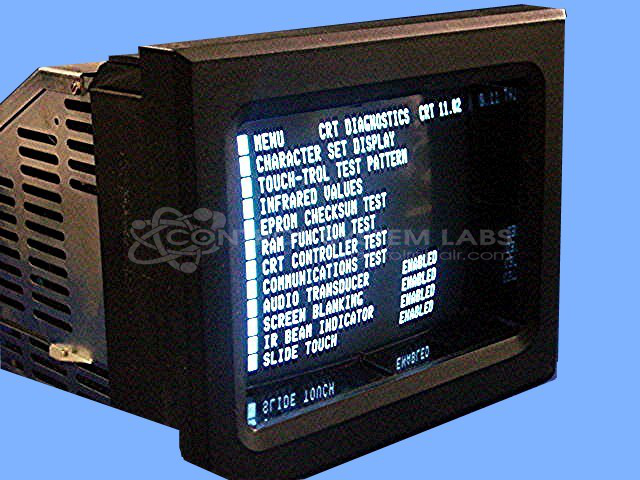
Product Overview: A monochrome CRT operator station with an integrated touchscreen interface, serving as the human-machine interface for injection molding machine controls. It provides process monitoring, parameter entry, and machine communication for plastics manufacturing equipment.
Category: Barber Colman MACO Controls
Manufacturer: Barber-Colman
Manufacturer Synonyms: Barber Coleman, Barbercolman, Invensys
Manufacturer Part Number: 80AA-11010-000-0-03
Series: MACO 8000 Injection Molding Controls
Brand: Barber-Colman
Price is for a normal repair. Contact us for bezel repair or replacement.
Common Failures
Common issues reported with this product include loss of video, display problems, and component failures. Specific problems may involve solder joints, capacitors, picture tubes, or coupling capacitors. These issues appear to occur with some regularity, indicating common points of wear or failure within the unit.
Repair Approach
Repairs may involve replacing components such as picture tubes, coupling capacitors, and integrated circuits. Solder joints and connectors may also be addressed to restore functionality. When these issues are present, testing and burn-in procedures are performed to verify performance. Repairs may also include securing loose parts and addressing structural concerns in the unit.
Testing & Quality
After repairs, units undergo testing, which may include communication tests and extended burn-in periods, to verify that issues have been addressed and to assess performance. Burn-in durations vary depending on the repair but typically range from overnight to several days.
Service and repair your broken Barber-Colman part
We can repair your Barber-Colman model 80AA-11010-000-0-03 in our facility. Let our skilled technicians get your Barber-Colman back in operation quickly.
Step 1 - Click the green 'Repair Now' button above to add the part and then complete the RMA.
Step 2 - The RMA form will be sent to you via email. Print the RMA form and put it in a box with the item(s) for repair.
Step 3 - Ship or mail the box to the address listed on the RMA.
Once the user has seen at least one product this snippet will be visible.