



Repair
Repair Price: $ 1,364.00
Purchase
CSL Part Number: 102420
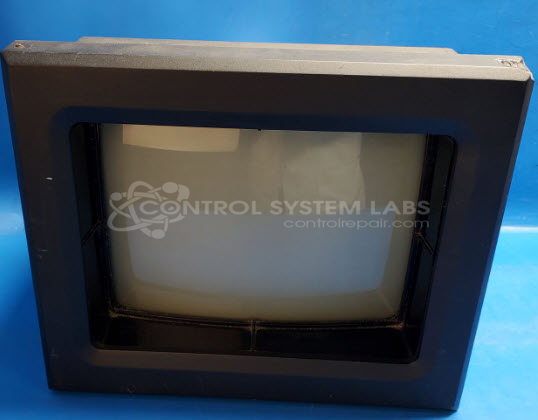
Product Overview: The MACO 8000 Monitor-Touchscreen (80AA-21010-000-0-00) is a monochrome CRT-based operator interface for injection molding machine control systems. It combines a touchscreen overlay with infrared sensing technology for user input and real-time process monitoring. This unit serves as the primary human-machine interface in Barber Colman MACO 8000 injection molding control platforms, displaying machine parameters, setpoints, and alarm conditions. The operator station enables technicians to adjust processing variables like temperature, pressure, and cycle timing directly at the machine.
Category: Barber Colman MACO Controls
Manufacturer: Barber-Colman
Manufacturer Synonyms: Barber Coleman, Barbercolman, Invensys
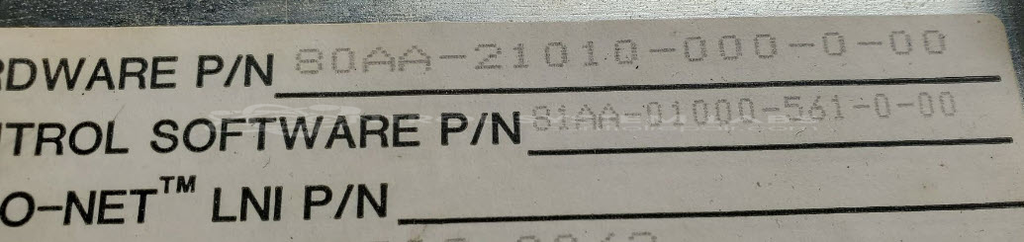
Manufacturer Part Number: 80AA-21010-000-0-00
Series: MACO 8000 Injection Molding Controls
Brand: Barber-Colman
Price is for a normal repair. Contact us for bezel repair or replacement.
Common Failures
This product commonly experiences issues with non-readable or cloudy data display. Other frequent problems include dirt on infrared paths and CRT-related issues that affect screen display quality.
Repair Approach
Repairs often involve disassembling and cleaning components to remove dirt from infrared paths. Mechanical integrity is restored by securing infrared lenses and related components. For CRT issues, restoration techniques may be employed to address shorts and restore proper screen function.
Testing & Quality
Products undergo testing, including power cycling and communication checks. Geometry and sensitivity are evaluated, and adjustments are made to support proper functionality. Each repaired unit is subject to burn-in testing overnight to verify reliability before completion.
Service and repair your broken Barber-Colman part
We can repair your Barber-Colman model 80AA-21010-000-0-00 in our facility. Let our skilled technicians get your Barber-Colman back in operation quickly.
Step 1 - Click the green 'Repair Now' button above to add the part and then complete the RMA.
Step 2 - The RMA form will be sent to you via email. Print the RMA form and put it in a box with the item(s) for repair.
Step 3 - Ship or mail the box to the address listed on the RMA.
Once the user has seen at least one product this snippet will be visible.