



Repair
Repair Price: $ 4,724.00
Purchase
CSL Part Number: 23996
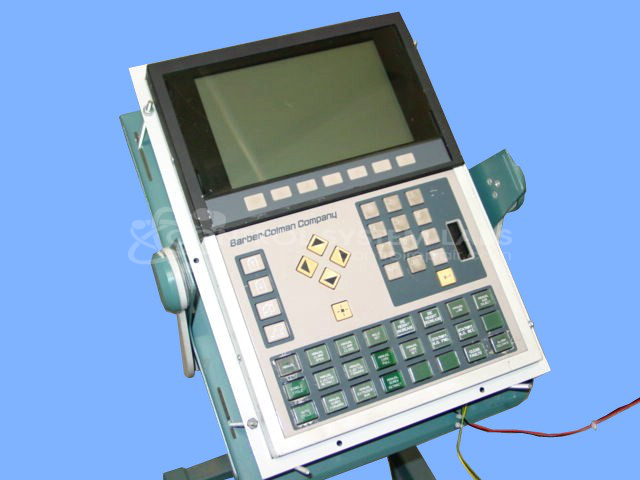
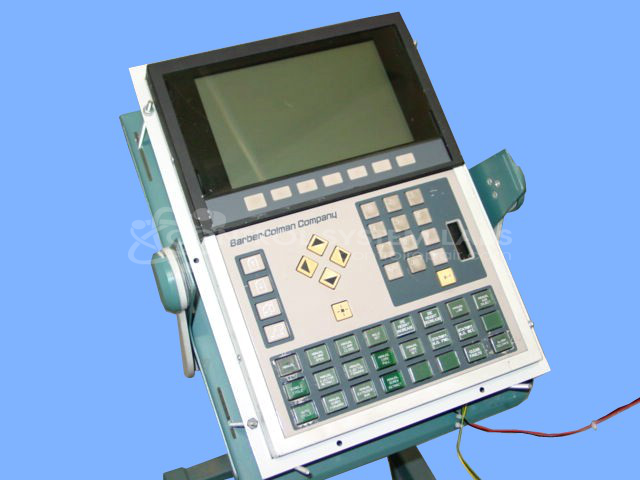
Product Overview: The Maco 8000 EL Operator Station is a human-machine interface (HMI) used for monitoring and controlling industrial processes in paper manufacturing applications. Manufactured by Barber Colman as part number 80AF-20001-000-V-00, it features a display screen and keypad for operator input. The unit communicates with programmable logic controllers (PLCs) to provide real-time process visualization and control functionality. It is commonly found in Barber Colman MACO 8000 distributed control systems.
Category: Barber Colman MACO Controls
Manufacturer: Barber-Colman
Manufacturer Synonyms: Barber Coleman, Barbercolman, Invensys
Manufacturer Part Number: 80AF-20001-000-V-00
Series: MACO 8000 Operator Station
Brand: Barber-Colman
Common Failures
Common issues reported with this product include the screen blinking on and off and the time slot not booting up. These issues may affect the usability and reliability of the product.
Repair Approach
For the screen blinking issue, defective components from the display and buttons board are typically replaced to address the problem. In cases where the time slot does not boot up, diagnostic testing is performed to identify underlying problems. In some instances, no fault is detected after thorough evaluation.
Testing & Quality
Repaired units undergo testing, including diagnostic checks and burn-in tests, to verify functionality. The process includes testing key elements such as the display and buttons. Units that pass testing are returned as serviceable. In some cases, no faults are detected during unit inspection.
Service and repair your broken Barber-Colman part
We can repair your Barber-Colman model 80AF-20001-000-V-00 in our facility. Let our skilled technicians get your Barber-Colman back in operation quickly.
Step 1 - Click the green 'Repair Now' button above to add the part and then complete the RMA.
Step 2 - The RMA form will be sent to you via email. Print the RMA form and put it in a box with the item(s) for repair.
Step 3 - Ship or mail the box to the address listed on the RMA.
Once the user has seen at least one product this snippet will be visible.