




Repair
Call for price
Purchase
CSL Part Number: 85339
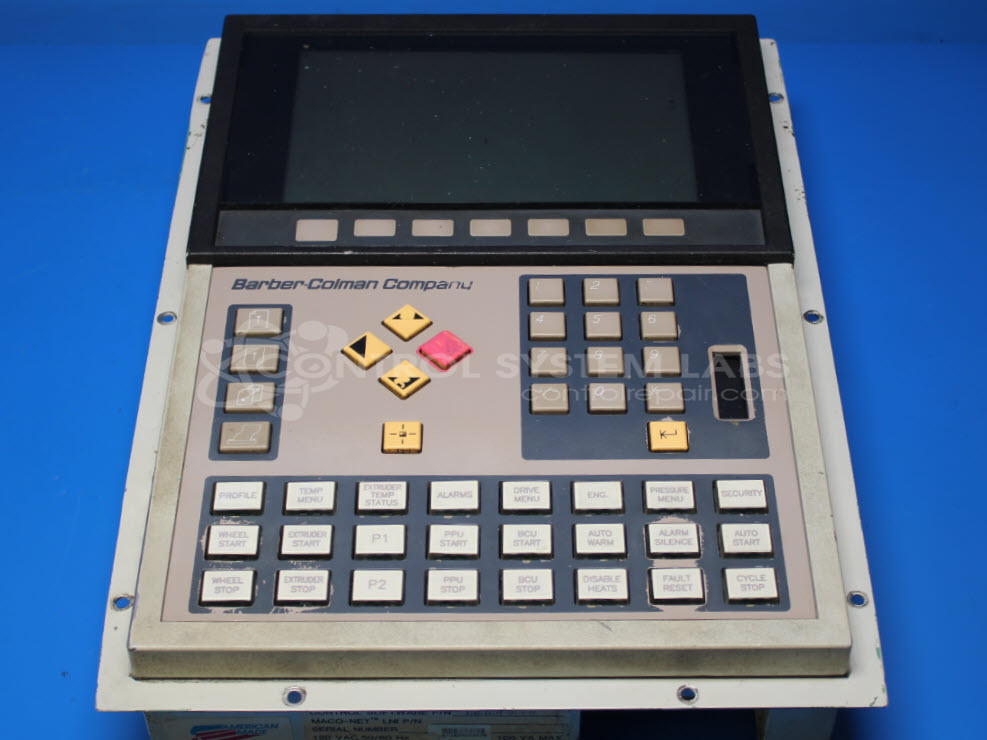
Product Overview: An operator interface station featuring an electroluminescent (EL) display, used for machine setpoint entry, monitoring, and control within industrial process systems. Commonly integrated into plastics and paper machinery for real-time operator interaction with the associated process controller.
Category: Barber Colman MACO Controls
Manufacturer: Barber-Colman
Manufacturer Synonyms: Barber Coleman, Barbercolman, Invensys
Manufacturer Part Number: 80AF-21001-002-V-00
Series: MACO 8000 Operator Station
Brand: Barber-Colman
Common Failures
This product may experience damage if incorrect voltage is applied, specifically 208VAC, which can lead to power-up issues and failure of internal components. Common symptoms include a non-functional display and potential damage to electronic control systems.
Repair Approach
Repairs for these issues generally require the replacement of several internal integrated circuits. Extensive damage, particularly to the display, may require significant repair time and effort, which could affect repair feasibility.
Testing & Quality
All identified issues are verified during evaluation. Repairs are conducted by experienced staff and verified through standard quality checks to ensure product functionality is restored.
Service and repair your broken Barber-Colman part
We can repair your Barber-Colman model 80AF-21001-002-V-00 in our facility. Let our skilled technicians get your Barber-Colman back in operation quickly.
Step 1 - Click the green 'Repair Now' button above to add the part and then complete the RMA.
Step 2 - The RMA form will be sent to you via email. Print the RMA form and put it in a box with the item(s) for repair.
Step 3 - Ship or mail the box to the address listed on the RMA.
Once the user has seen at least one product this snippet will be visible.