




Repair
Repair Price: $ 4,960.00
Purchase
CSL Part Number: 81697
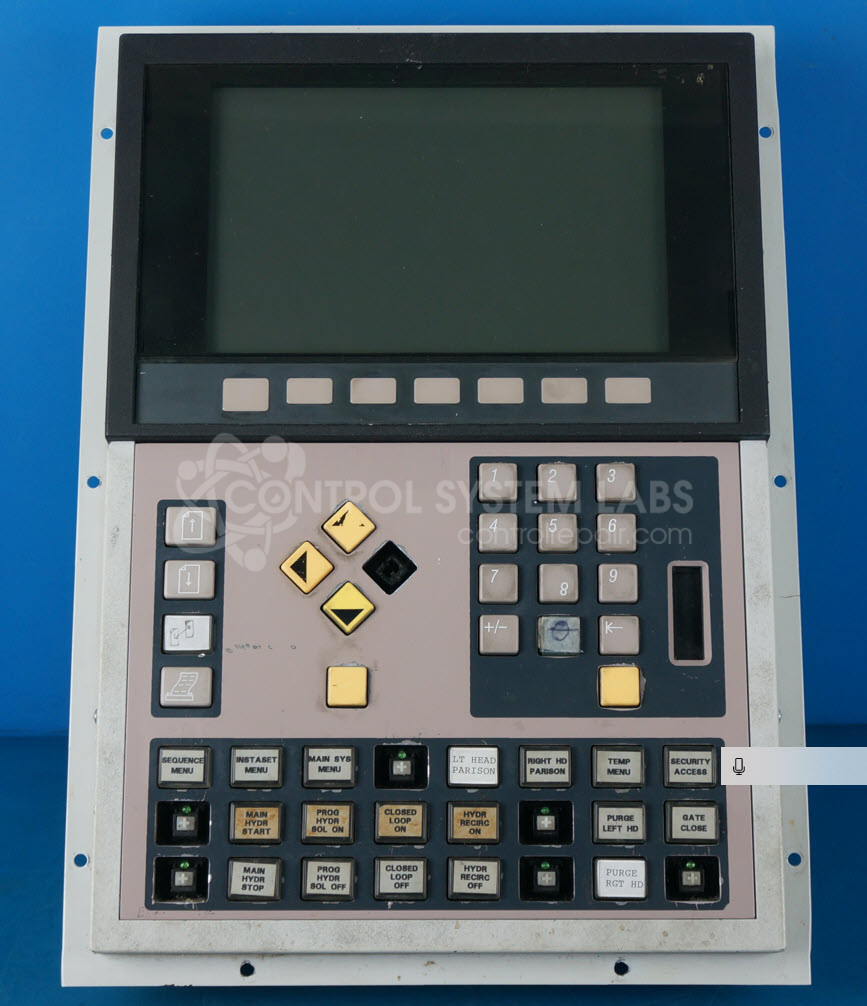
Product Overview: An operator interface station for a process control system, providing a monitor-and-adjust point for machine functions. It features an electroluminescent (EL) display and membrane-style navigation switches, supporting RTD temperature input across a 32–122°F range. Commonly used in paper and plastics processing equipment.
Category: Barber Colman MACO Controls
Manufacturer: Barber-Colman
Manufacturer Synonyms: Barber Coleman, Barbercolman, Invensys
Alternate Manufacturer Names: DS Sterling
Manufacturer Part Number: 80AF-22001-002-V-00
Series: MACO 8000 Operator Station
Brand: Barber-Colman
Other Synonyms: DS Sterling
Common Failures
A frequent issue reported is a severe display flicker, making the output difficult to read. This has been traced to a malfunctioning CPU in the display component.
Repair Approach
Repairs have typically involved replacing the EL display and associated control switches. The units are thoroughly checked, cleaned, and recalibrated to ensure proper function.
Testing & Quality
After repairs, products are subjected to multiple testing procedures, including display and switch functionality checks and temperature calibration. Devices are also burned-in over an extended period to confirm reliability and consistent performance.
Service and repair your broken Barber-Colman part
We can repair your Barber-Colman model 80AF-22001-002-V-00 in our facility. Let our skilled technicians get your Barber-Colman back in operation quickly.
Step 1 - Click the green 'Repair Now' button above to add the part and then complete the RMA.
Step 2 - The RMA form will be sent to you via email. Print the RMA form and put it in a box with the item(s) for repair.
Step 3 - Ship or mail the box to the address listed on the RMA.
Once the user has seen at least one product this snippet will be visible.